
Announcement
This page is also available in Deutsch, Español, Français, Italiano, 日本語, and Português.
Know which channel, country and team is driving your Infobip bill, before the invoice arrives
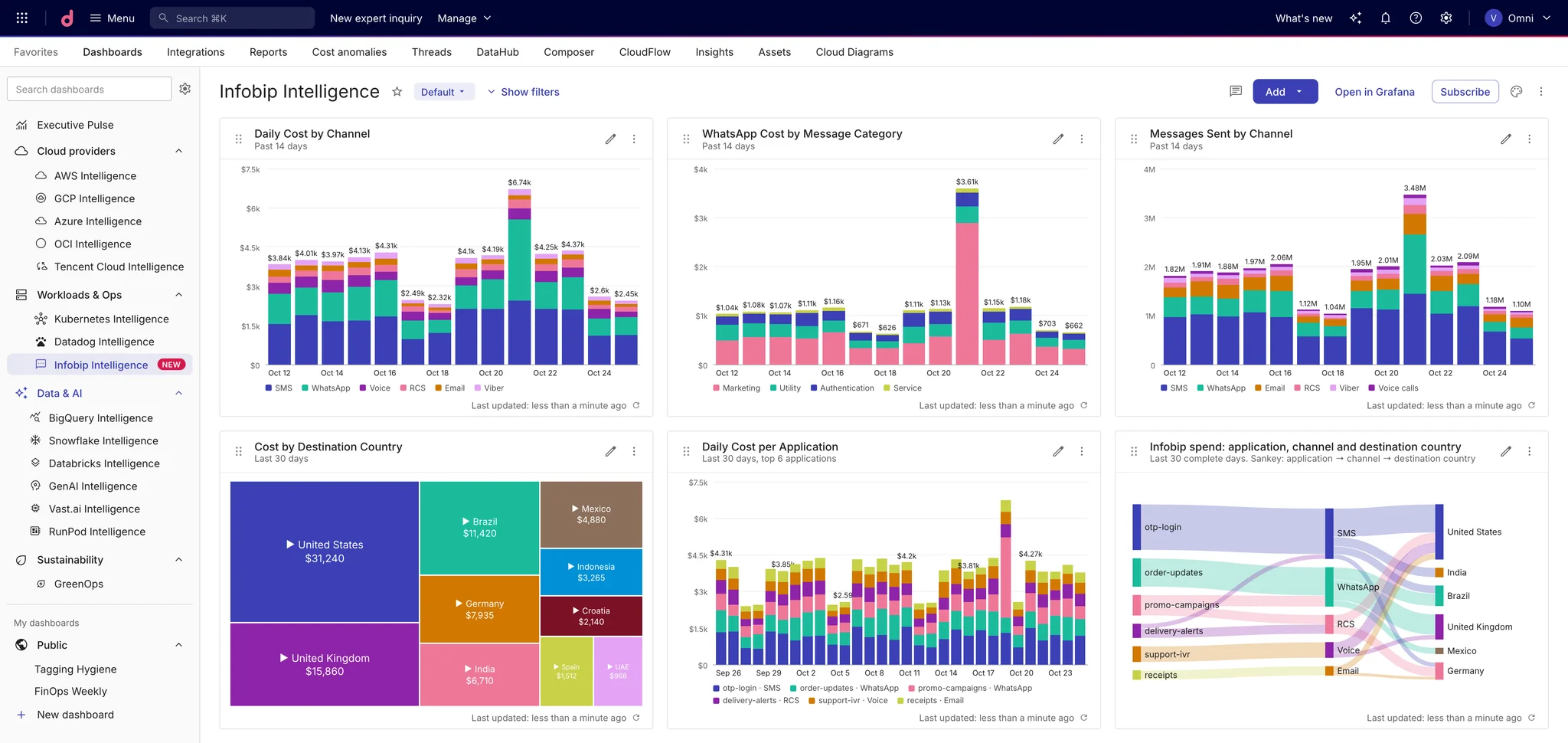
Infobip usage for SMS, WhatsApp, voice and more now lands in Cloud Intelligence™, broken down by channel, destination country and account
Messaging spend scales with your customers, not with your infrastructure. One password-reset flow that starts retrying, a WhatsApp campaign aimed at a new market, or a jump in SMS rates for a single country can double a line item overnight. On Infobip, that usually shows up as a monthly invoice total, finalized on the 5th of the following month, with no easy way to tell which channel, which country or which product was responsible.
Cloud Intelligence™ now reads your Infobip usage and turns it into cost rows you can slice by channel, destination country and Infobip account, right next to your AWS, Google Cloud, Twilio and AI spend.
What you get
Every metered channel. SMS and MMS (including US carrier fees), WhatsApp, RCS, Apple Messages for Business, Viber, Email and Mobile Push, voice and video, Number Lookup, Carrier Lookup and Email Validation, and AI and AgentOS usage.
Cost by destination country. Each row carries the channel and the country it was sent to, so an SMS spike in one market stands out instead of hiding in the monthly total.
Attribution by account. Infobip account keys and names come through as labels, so you can build allocations and reports per product or team.
This month, not last month. We import unfinalized usage daily, then update earlier days as Infobip finalizes late traffic, volume discounts and pricing adjustments.
One view across providers. Infobip sits in Cloud Analytics next to the rest of your cloud and SaaS spend, and works in reports and allocations like any other cost.
Get started
- In the Infobip Portal, create an API key with the
billing:usage:viewscope and account balance read access (Create an API key). - In Cloud Intelligence™, open Integrations, find Infobip, and enter an account name, your dedicated API domain and the key (Connect your Infobip account).
- Once the first sync lands, open a report filtered to Infobip and group by service and location to see spend by channel and country (Infobip reporting dimensions).
