
Improvement
This page is also available in Deutsch, Español, Français, Italiano, 日本語, and Português.
Triage cost anomalies with review statuses, comments, and activity history
Track every anomaly from detection to resolution with a built-in review workflow.
By Nikola Keskinov
·Shipped by
Cost anomalies surface spending spikes, but the real work starts after detection. Someone has to figure out who is looking at it, whether it is a genuine issue, and what the team decided. That context often lives in Slack threads, Jira tasks, or spreadsheets, disconnected from the anomaly itself.
The Cost Anomalies detail panel now includes a full review workflow. It replaces the existing Acknowledgment behavior, and previously acknowledged anomalies now appear as Resolved.
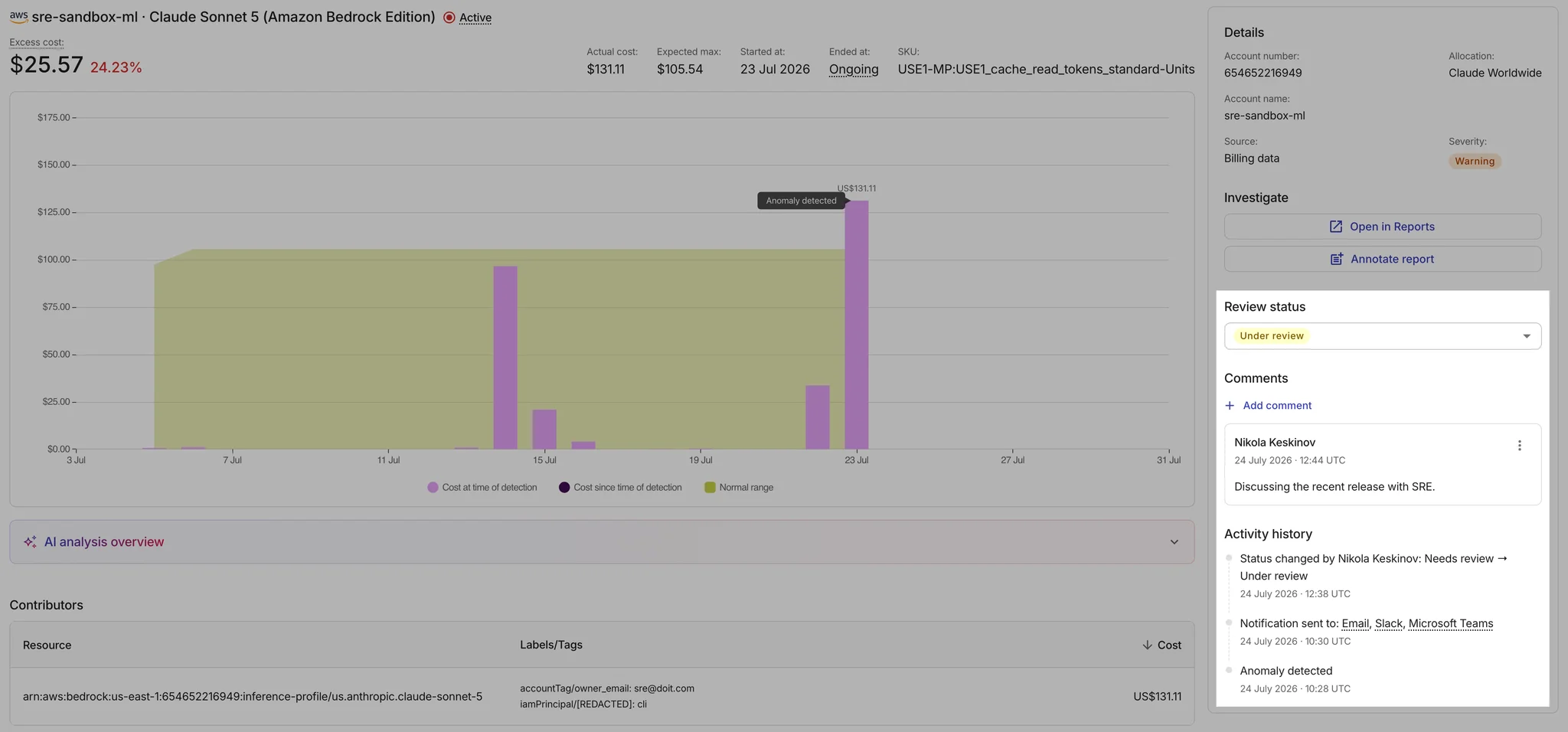
- Review status: Set each anomaly to Needs review, Under review, or one of two Resolved states (Anomaly confirmed or Not an anomaly) from a single dropdown. Color-coded pills make triage state visible at a glance.
- Comments: Add notes directly on an anomaly. Edit or delete your own comments, and optionally attach a reason and comment when resolving.
- Activity history: See a chronological log of when the anomaly was detected, who was notified (email, Slack, Teams), and every status change, with resolution reasons inline.
- Table-level visibility: A new Review Status column in the Cost Anomalies table shows triage progress without opening each anomaly.
- Slack updates: Update review status directly from Slack notifications, replacing the previous Acknowledge action.
To get started, open Cost Anomalies and click into any anomaly to set a review status or add a comment.
