
Announcement
This page is also available in Deutsch, Español, Français, Italiano, 日本語, and Português.
GitHub Intelligence: one view of your GitHub spend
Understand your GitHub costs across Actions, Copilot, storage and licenses, with ready-to-use views in Cloud Intelligence™
By Evgeny Zislis
GitHub Intelligence brings your GitHub billing data into one place, helping you understand what you spend across Actions, Copilot, storage and licenses.
As development teams use more GitHub services, the bill becomes harder to follow. GitHub Intelligence gives you a shared view of those costs so you can see what is driving spend, compare repositories and focus your optimization efforts without building reports from scratch.
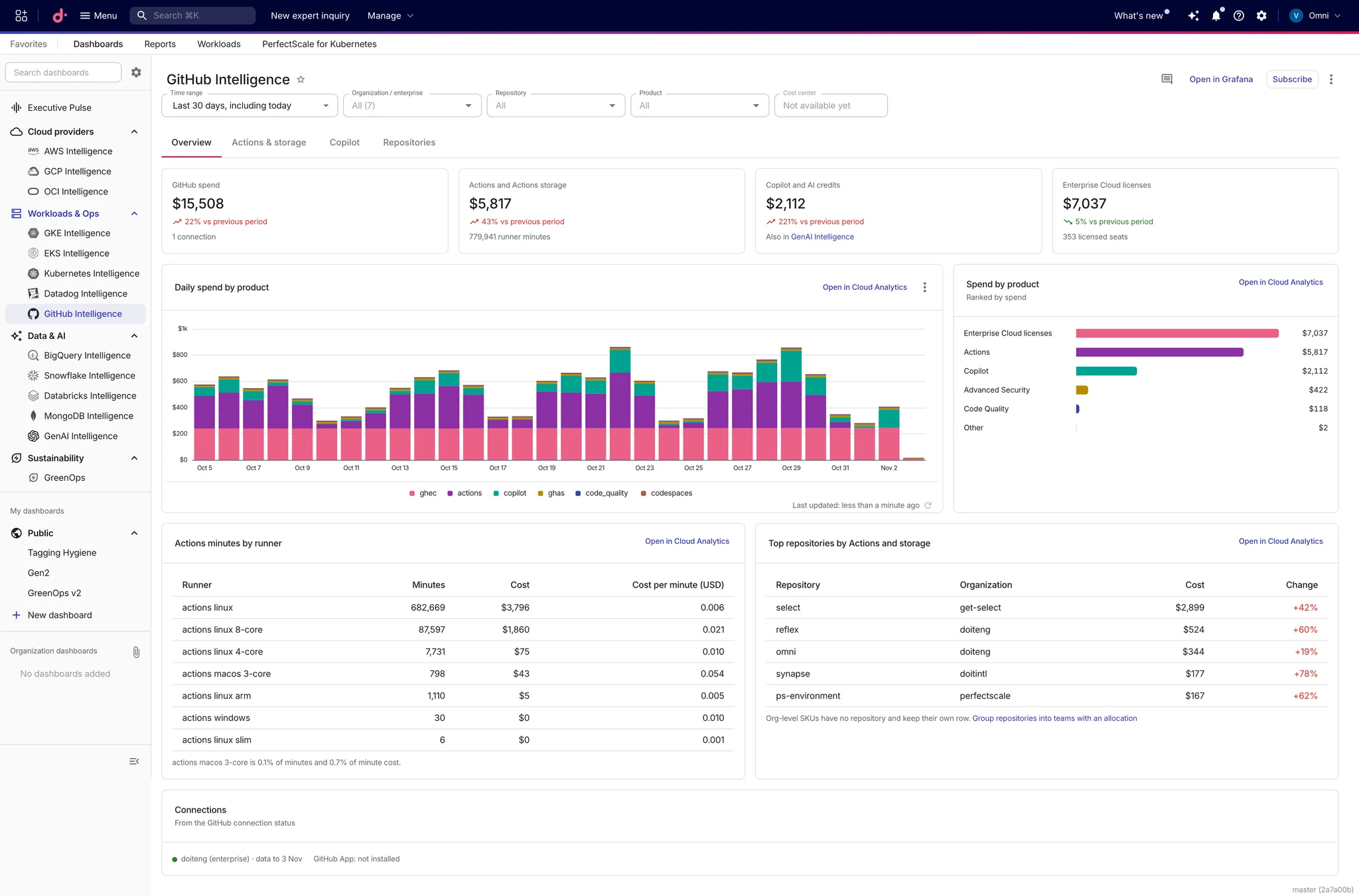
Four views of your GitHub costs
The dashboard organizes your billing data into four tabs:
Overview: See total spend, daily trends and the products driving your bill.
Actions & storage: Explore runner minutes and costs by runner type, and identify repositories with higher storage costs.
Copilot: Track Copilot and AI credit spend alongside the rest of your GitHub costs.
Repositories: Compare repository costs across products and see how they change from one period to the next.
From the overall bill to the details
Filter billing views by time range, organization or enterprise, repository and product. Start with the overall picture, narrow down to an area you want to investigate, and open the underlying reports in Cloud Analytics for further analysis.
Clear context for your data
GitHub Intelligence shows connection status alongside your costs and flags connections that have stopped returning data. The information shown depends on your connected GitHub accounts and the data available from them. Views that need additional data explain what is missing.
Get started
Connect your GitHub organization or enterprise to Cloud Intelligence™, then open GitHub Intelligence from Dashboards once your billing data has been imported and the dashboard is available for your account.