
Announcement
This page is also available in Deutsch, Español, Français, Italiano, 日本語, and Português.
Customize your dashboards sidebar menu
Put the dashboards you open every day at the top, hide the rest and reorder.
By Itai Bracha
What we improved
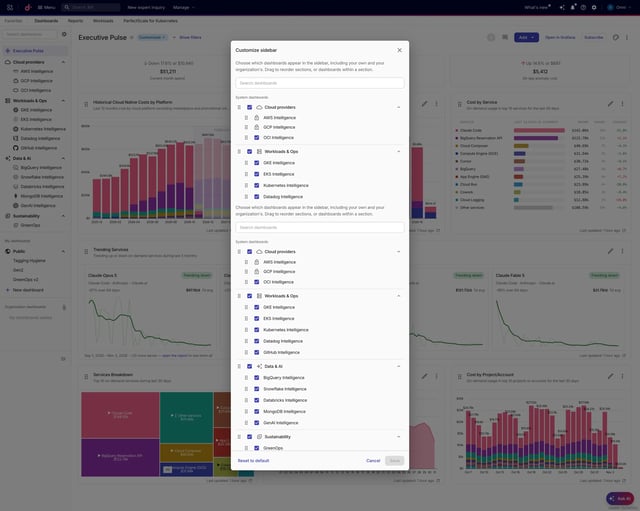
You can reorder, not just hide. Drag groups and dashboards into your own order. Groups move within their section and dashboards within their group, so a stray drop can't scramble the sidebar. Keyboard reordering works too, with screen-reader announcements.
It covers every dashboard, not just the system ones. System dashboards, your private and shared dashboards, and organization dashboards all live in one dialog.
Your layout belongs to your account. It is saved on the server, not in the browser, so it is the same on every machine.
Hiding is faster. One checkbox hides a whole group. Pick individual dashboards when you want finer control. A hidden dashboard still turns up when you search the sidebar, so you never lose it.
What you hid before stays hidden. Your old choices carry over the first time you save.
It is harder to break. Nothing changes until you save. Reset to default puts everything back, closing with unsaved edits asks first, and a failed save shows an error and keeps your changes.
Guardrails stay in place. Executive Pulse stays first, and AWS, Google Cloud and Azure stay visible. New dashboards land at the end of their group, visible, unless you hid that whole group.