
Announcement
This page is also available in Deutsch, Español, Français, Italiano, 日本語, and Português.
Azure support is now in early preview in CloudFlow
Automate FinOps for Azure alongside AWS, Google Cloud, and Cloud Intelligence™ - all from CloudFlow (in early preview)
The new Azure node connects CloudFlow to Azure Resource Manager. You can discover and manage resources, reference outputs between nodes, handle paginated and long-running operations, and add approvals before destructive actions.
Start faster with new templates
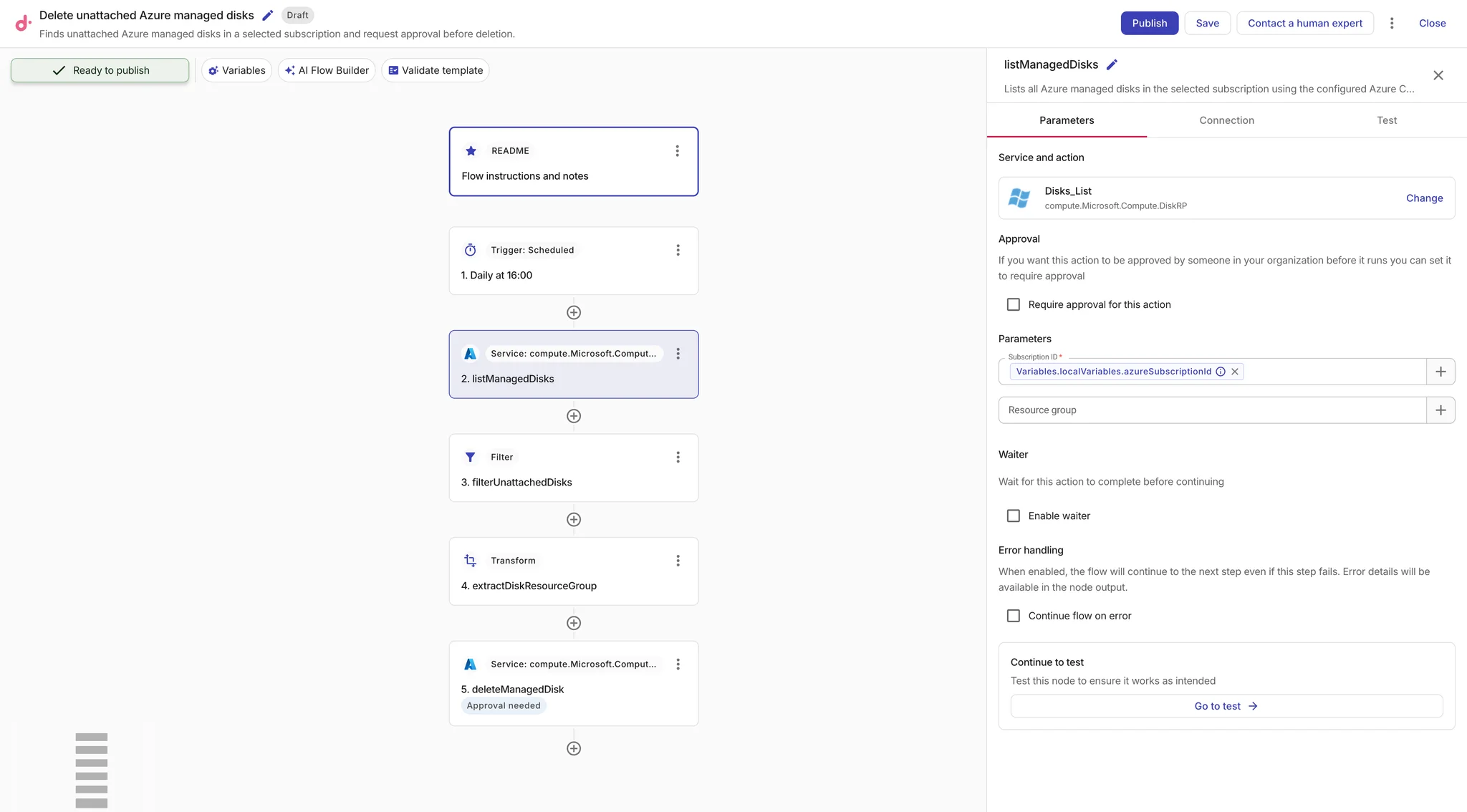
To get you started faster, we are shipping two new Azure templates implementing common FinOps tasks - identifying idle or unused resources:
Delete unattached Azure managed disks identifies disks in the Unattached state and requests approval before deleting each candidate.
Delete unused Azure public IP addresses finds addresses without Azure resource associations and requests approval before releasing them.
Both templates preserve human oversight by requiring approval before deletion.
Follow the tutorial
The new Find unattached Azure managed disks tutorial walks you through building a read-only flow that lists managed disks, filters unattached resources, and emails a report.
Available today
- Azure Resource Manager control-plane actions using existing Cloud Connect connections.
- Subscription- and resource-group-scoped operations with automatic pagination and support for long-running operations.
- Node testing, output references, filters, transformations, notifications, and approvals.
What we’re shipping next
Future enhancements expand Azure coverage to data-plane APIs, Azure CLI commands, connection variables, dedicated permission configuration, and Azure-native event triggers such as Activity Log and Event Grid events.
Get started
CloudFlow reuses your existing Azure Cloud Connect permissions, so you don’t need to deploy or store separate credentials. Connect your Azure tenant to Cloud Intelligence™, create an Azure CloudFlow connection from its existing permissions, and then add an Azure node or begin with one of the new templates.
