Announcement
This page is also available in Português, Deutsch, Español, Italiano, Français, and 日本語.
Reuse shared data across CloudFlow automations with Datastore tables
Datastore tables give CloudFlow automations a shared, managed place to store and query structured data for consistent enrichment, routing, and state across flows.
Cloud automations rarely live in isolation. One flow detects an issue, another enriches context, a third notifies the right team. Without a shared source of truth, you end up duplicating logic or hardcoding mappings that drift over time.
The Datastore node provides your CloudFlow automations with a shared, managed place to store and query structured data, enabling multiple flows to reference the same tables for enrichment, routing, and state. Think of Datastore as a lightweight database you can use directly from flows.
A common pattern is a tag ownership table:
- You maintain a table that maps tags (or tag patterns) to an owner, team, cost center, escalation channel, and metadata.
- Any flow can query it to resolve “who owns this?” consistently.
Example: an anomaly flow spots a sudden spike on an untagged workload. It looks up the resource’s tags, queries the ownership table, and then routes the alert to the correct Slack channel. A separate remediation flow uses the same table to decide who can approve a change and where to open a ticket.
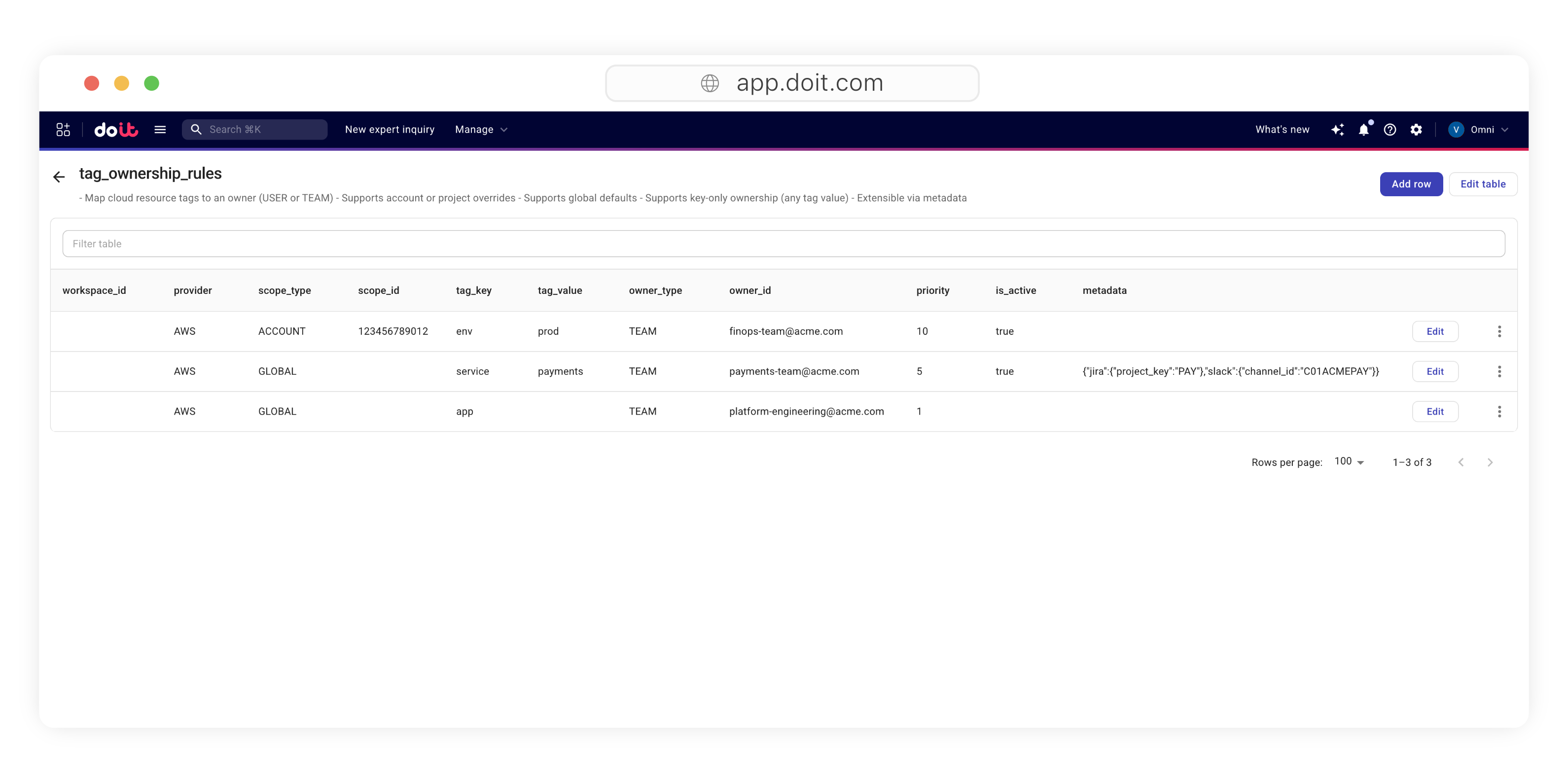
In the Datastore node, you can:
- Get records using filters (including values from previous nodes)
- Insert records for new rows, including batch inserts
- Upsert records to keep a table current without duplicates by using a unique key column
Supported column types include Text, Integer, Numeric, Boolean, Date, Timestamp, and JSON.
How to get started
Create a Datastore table for shared mappings (for example, tag-to-owner), then reference it from any flow via a Datastore node query. Use Upsert when you want scheduled flows to keep the table continuously in sync from an authoritative source.
Related documentation