
Cloud Intelligence™
Your Agent-as-a-Service Bill Arrived. Now Explain the Unit Economics
You shipped the agent. Customers love it. The bill landed. Your CFO wants cost-to-serve per tenant — and you're staring at one number
This page is also available in Deutsch, Español, Français, Italiano, 日本語, and Português.


Co-authored with Matías Battaglia Romano
You built an agent product on Amazon Bedrock AgentCore, and something about the workload pushed you off the default microVM runtime onto Runtime Instances: GPU rendering, sessions that run for days, large in-memory datasets, or a requirement to keep everything in a walled garden.
Then the first real invoice arrives and someone asks what your gross margin is per tenant.
Your pricing team needs cost-per-task, margin per account, and chargeback per customer. You can't produce any of it from what AWS gives you.
The cost attribution gap
To understand in detail, let's take an example of running a 3D rendering agent as a service. Customers describe scenes in plain language, your agent reasons about composition (Bedrock), then ray-traces a photorealistic image (GPU).
Two customers.
- Architecture firm: 15K tokens + 12 min GPU render → $8.40/task
- E-commerce company: 2K tokens + 18 sec GPU render → $0.03/task
A 280x spread in cost-to-serve, on the same product.
Your invoice shows:
Bedrock — Claude Opus 4.5: $12,400EC2 (g5.xlarge, managed): $8,600Two line items. No way to charge back usage or compute margin per account — and it only gets worse going from 2 tenants to 1,000.
AWS gives you the pieces. Assembly is on you.
AWS has granular Bedrock cost attribution via IAM principals, AgentCore multi-tenancy patterns with session-level tenant tags, and Observability exports to CloudWatch. But end-to-end cost-per-task requires identity configuration, IAM session tags, cost allocation tag activation, Observability metric exports, CloudWatch Logs Insights queries, and stitching CUR data with pricing logic.
That's a meaningful engineering project — and one you maintain forever.
The different answer: measure from underneath
Attribute deploys an eBPF sensor on your AgentCore EC2 instances. It observes Bedrock API calls at the kernel level and maps each to the tenant that triggered it. It also sees GPU compute, local model inference, and network I/O on that instance. No billing or attribution code in your application. No SQS pipelines or DynamoDB tables. It still uses CUR data for cost reconciliation, but the attribution logic — threading tenant context through the stack — is handled by the sensor, not your app.
One sensor, one dashboard: Tenant A consumed $2,100 in inference + 340 GPU-hours. Tenant B consumed $48 + 2 GPU-hours. You didn't build a pipeline. The kernel observed it.
In this post we'll deploy an agent that requires GPU, install the DoiT Attribute sensor, generate some workload, and fetch per-tenant costs from the Attribute dashboard and API — without tagging or configuring a complex billing pipeline.
Architecture
AgentCore's capacity provider spins up fresh instances on demand, but these are EC2 managed instances — AgentCore provisions and operates them, and you hold restricted permissions on them. At the time of writing, the capacity provider's LaunchParameters exposes no imageId and no userData, and you can't supply your own launch template. You can't bake the sensor into the image.
So we use an event-driven approach: EventBridge detects when an AgentCore instance enters running state, triggers a Lambda that waits for SSM connectivity, then installs the sensor remotely via SSM Run Command.
Note: The sensor starts observing when it's installed, not when the instance boots. EventBridge fires on running, the Lambda waits for SSM connectivity, and then Run Command installs the sensor — about 50 seconds end-to-end in our testing. In practice, the agent runtime wasn't ready to accept requests until after the sensor was already installed, so no traffic went unattributed.
 Event-driven sensor deployment: EventBridge detects new AgentCore instances, Lambda waits for SSM, then installs the sensor via Run Command.
The agent accepts an x-tenant-id HTTP header — the business identifier your platform already uses to route rendered outputs to the correct tenant's storage and enforce per-tenant access control. The Attribute sensor captures this same header at the OS level and uses it to attribute compute and AI costs back to the originating tenant.
The Agent: Strands SDK + Blender on GPU
The 3D rendering agent is built with the Strands Agents SDK and deployed via BedrockAgentCoreApp.
app = BedrockAgentCoreApp(debug=True)
@tooldef generate_scene_description(prompt: str) -> str:    """Return a structured scene graph (objects, materials, lighting, camera)."""    ...
@tooldef render_scene(scene_graph_json: str) -> str:    """Execute Blender Cycles GPU ray-trace render via subprocess."""    ...
@app.entrypointdef invoke(payload: dict, context: RequestContext):    tenant_id = get_tenant_id_from_headers(context.request_headers)    prompt = payload.get("prompt")
    agent = Agent(        model=BedrockModel(model_id="us.anthropic.claude-opus-4-5-20251101-v1:0"),        tools=[generate_scene_description, render_scene],    )    agent(prompt)
The full source for the agent, as well as Terraform templates are available at this repo.
Deployment: One Terraform Apply
The entire stack — capacity provider, agent runtime, sensor auto-deploy pipeline — deploys with a single terraform apply. Configure your terraform.tfvars:
aws_region = "us-west-2"agent_source_dir = "../agent-3d-render"agent_s3_bucket = "your-bucket-name"allowed_instance_types = ["g5.xlarge", "g5.2xlarge"]ebs_volume_size = 100sensor_token = "your-attribute-token" # from Attribute dashboardsensor_workload_name = "3d-render-agent"session_max_duration = 86400 # 24 hours; AgentCore allows up to 14 daysThen:
cd terraformterraform initterraform applyCloud bill shouldn't be a mystery
One platform for AI and Cloud optimization.
Testing Per-Tenant Cost Attribution
The repo includes a multi-tenant test script (agent-3d-render/scripts/tenant_test.py) that sends render prompts from two different tenants against the same agent runtime, using real x-tenant-id HTTP headers:
AGENT_RUNTIME_ARN=arn:aws:bedrock-agentcore:us-west-2:ACCOUNT:runtime/NAME \ python3 agent-3d-render/scripts/tenant_test.pyThis sends multiple render requests as two tenants, each with different scene prompts:
=== TENANT: acme-architects ===--- request 1/2: Design a futuristic glass skyscraper at sunset with dramatic orange lightingOK (142.3s) tenant_id_echoed=acme-architects--- request 2/2: A luxury sports car showroom with reflective marble floors and spotlightsOK (87.1s) tenant_id_echoed=acme-architects
=== TENANT: globex-gamestudio ===--- request 1/2: A fantasy castle on a cliff with dragons flying overhead in stormy weatherOK (98.7s) tenant_id_echoed=globex-gamestudio--- request 2/2: A cyberpunk city street at night with neon signs and rain reflectionsOK (112.4s) tenant_id_echoed=globex-gamestudio
The Result: Per-Tenant Cost Visibility
Four renders, two tenants. Here's what it cost to serve each of them:
 Per-tenant cost attribution from the
 x-tenant-id header — no cost allocation tags or billing code required.
 Drilling into a tenant shows the cost breakdown by resource type.
Getting Per-Tenant Cost Attribution Data from the API
Dashboards are for humans. If you're feeding a billing system, you want this programmatically:
curl -s -H "Authorization: Bearer $ATTRIBUTE_TOKEN" \ "https://api.app.attrb.io/api/v1/identifiers/daily/<date>"Get Started
The full repo — Terraform, agent code, test scripts — is open source. Clone it, set your Attribute token, terraform apply, and you'll have per-tenant cost visibility before your next invoice lands.
When you're done testing, tear it down. The config above caps sessions at 24 hours, but AgentCore allows up to 14 days — and a forgotten GPU instance is an expensive souvenir:
terraform destroyGo deeper

Live workshop: Your Platform Team Isn't Your Biggest Spender. Tags measure ownership, not consumption. Amit Kinha, Field CTO at DoiT and FinOps Foundation Governing Board member, takes a real cloud bill and re-cuts it by consumption, then shows where rule-based allocation stops working and how fast its error grows as shared cost grows. Save your seat →
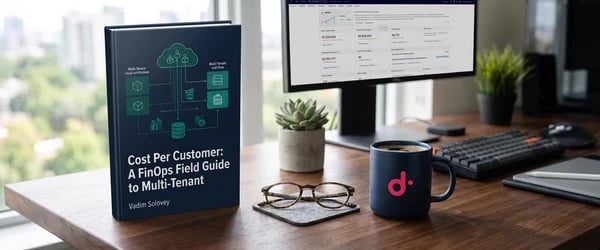
Ebook: Cost Per Customer, a FinOps field guide to multi-tenant cloud attribution. Working SQL for CUR 2.0, BigQuery billing exports, and FOCUS, plus a clear line on where native tooling stops and shared infrastructure needs measured consumption. Get the guide →
Frequently Asked Questions
What is cost attribution in Bedrock AgentCore?
Cost attribution in Bedrock AgentCore means tying Bedrock inference spend and GPU compute on Runtime Instances back to the specific tenant, customer, or workload that generated it. AgentCore's own billing shows aggregate line items for Bedrock and EC2, not a per-tenant breakdown, so attribution requires either AWS's native tagging tools or a separate observation layer.
Can you install a custom AMI or launch template on AgentCore Runtime Instances?
No. AgentCore's capacity provider manages the underlying EC2 instances directly, and at the time of writing, its LaunchParameters API exposes no imageId and no userData field, and it does not accept a custom launch template. Any software that needs to run on the instance, including a cost attribution sensor, has to be installed after the instance reaches a running state rather than baked into the image at launch.
How do you attribute AWS Bedrock costs per tenant without cost allocation tags?
An eBPF sensor deployed onto the instance can observe Bedrock API calls, GPU compute, and network I/O at the kernel level, independent of any tagging or logging your application code does. If your agent already passes a tenant identifier, such as an x-tenant-id header, the sensor can capture that same identifier and attribute the observed spend to it directly, without IAM session tags or CUR-based reconciliation pipelines.
What's the difference between AWS's native Bedrock cost attribution and an eBPF sensor approach?
AWS's native path uses IAM principal tagging, session-level tenant tags, and Cost and Usage Report data stitched together with your own pricing logic. It's a real solution, but it's an engineering project you maintain indefinitely. An eBPF sensor observes the same signals from outside your application, so the attribution logic lives in the sensor rather than in code you have to keep updating as your agent changes.
How much does GPU cost vary per tenant on the same agent?
It can vary by orders of magnitude even on identical infrastructure. In the rendering example in this post, one tenant's task cost $8.40 due to a 12-minute GPU render, while another tenant's task cost $0.03 with an 18-second render, a 280x spread driven entirely by usage pattern rather than pricing.
If you're running agents on AgentCore and want to see what Attribute looks like in your own environment, book a demo.


