


Cloud cost optimization has gone well beyond simple rightsizing recommendations. As organizations grow their Google Cloud deployments, the focus shifts from spotting obvious inefficiencies to understanding how workload goals, infrastructure design, and costs all connect. Traditional FinOps approaches often fall into what we call the “illusion of efficiency,” where surface-level metrics like CPU utilization suggest optimal performance while masking deeper architectural waste.
This illusion happens because traditional monitoring focuses on infrastructure metrics rather than workload outcomes. For example, a BigQuery job showing 90% slot utilization appears efficient until you discover it’s scanning entire tables due to missing partitions, burning through compute unnecessarily. Similarly, a Kubernetes cluster with high CPU usage might seem well-optimized while pods actually queue due to memory constraints or poor resource allocation.
These (and other) scenarios create a false sense of efficiency where busy infrastructure masks fundamental design problems that drive real costs.
Unlike standard FinOps that optimizes based on generic utilization metrics, intent-aware optimization considers the purpose behind each workload. For instance, a machine learning training job may appear “underutilized” during data preprocessing but is actually performing optimally for its pipeline stage.
Whether you’re managing latency-sensitive applications that need extra capacity for SLA compliance, ensuring failover guarantees with redundant infrastructure, or optimizing for developer velocity over cost savings, your cloud operations must adapt to each scenario. The following strategies can help you build a more sustainable cloud cost management approach to Google Cloud financial operations that grows along with your organization.
Quick answers: Google Cloud FinOps
- What is Google Cloud FinOps?
- Google Cloud FinOps is an operating model that helps finance, engineering, and business teams share accountability for Google Cloud spend through visibility, optimization, and ongoing governance.
- What’s the fastest way to find waste on Google Cloud?
- Start with accurate cost allocation (labels/projects), then review commitments and idle resources. Next, target service-specific waste in BigQuery, GKE, Cloud Run, and logging/monitoring ingestion.
- What’s the “illusion of efficiency” in FinOps?
- It’s when utilization looks “good” (busy compute, high slots, high CPU) but the workload is still wasting money due to architectural issues like unpartitioned BigQuery scans, poor GKE requests/limits, or mis-tuned concurrency.
What is Google Cloud FinOps?

Google Cloud FinOps is an operational framework that brings financial accountability to cloud spending through cross-functional collaboration between engineering, finance, and business teams. Instead of being reactive and treating cost optimization as an afterthought, FinOps focuses on proactive practices to understand, track, and optimize cloud spending continuously.
Per the FinOps Foundation, the discipline centers on three core phases:
- Inform: visibility into spending patterns
- Optimize: actionable cost reduction and design improvements
- Operate: ongoing governance and accountability
Within Google Cloud’s ecosystem, this translates to using native tools like Cloud Billing, Cloud Asset Inventory, and the Recommender API while integrating with specialized platforms like DoiT for deeper workload-specific insights.
What is the FinOps Score on Google Cloud?
Google Cloud’s FinOps score helps you gauge how well your organization is managing cost optimization across different areas. It reflects adoption of recommended practices (for example, commitment coverage, idle resource cleanup, and budget alert configuration completeness). You can use it as a baseline for quarterly optimization reviews.
However, the native score focuses on generalized best practices and may miss workload intent. A machine learning training job can look “underutilized” during preprocessing but still be operating optimally for its pipeline stage. That’s why intent-aware analysis matters when judging efficiency.
Why FinOps matters for Google Cloud
Google Cloud’s pricing model rewards strategic planning through committed use discounts, sustained use discounts, and preemptible instances. But these benefits require forecasting and workload analysis to maximize value. Organizations that implement structured FinOps practices often see cost reductions within the first year, not only through downsizing but also through architectural improvements that eliminate design-level waste.
Google Cloud services introduce unique optimization challenges. BigQuery’s slot-based pricing makes cost highly dependent on data structure and partition strategy. Cloud Run’s per-request billing makes concurrency and minimum instances a cost-and-performance tuning exercise where cold starts can impact both user experience and spend.
These pricing models shift optimization from “size the machine” to “design the workload.” Without solid FinOps processes, engineering teams often oversize resources to reduce performance risk, while finance teams lack technical context to find the highest-impact opportunities.
Essential principles of Google Cloud FinOps
Successful Google Cloud FinOps is built on principles that distinguish mature practices from ad-hoc cost cutting.
Real-time cost insights form the backbone of any effective program. In practice, “real time” often means hourly or daily attribution because billing data has inherent delays. The key is automated collection that ties spending to workload purpose and business outcomes—not just utilization.
Stakeholder accountability makes cost optimization a shared responsibility. Engineering teams need to see how architecture decisions affect cost, while business units need to connect spend to revenue, customers, or strategic initiatives.
Cross-functional collaboration breaks down silos. When storage engineers understand how retention drives analytics costs, and developers understand how code patterns affect Cloud Functions or Cloud Run charges, optimization becomes a natural outcome of informed decisions.
What FinOps metrics should you be tracking?
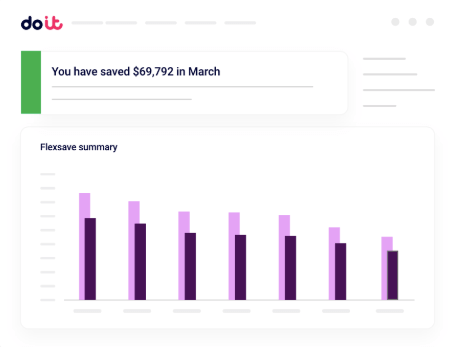
Tracking the right metrics helps you gain visibility into Google Cloud spending and drive meaningful optimization.
Cost allocation accuracy
Precise cost allocation forms the foundation of effective governance. Google Cloud labeling and project structure should map cleanly to your organization so you can support showback/chargeback and accountability.
Implement mandatory labels (environment, team, application, cost center) for all resources. Use automated reports in BigQuery to track spend by label and review monthly for completeness. Use Cloud Asset Inventory to validate label coverage at scale and publish a weekly “untagged resource rate” by service, aiming for 95%+ tagged resources.
Without allocation accuracy, cloud spend becomes a single opaque line item, preventing optimization and weakening accountability.
Utilization rates and efficiency metrics
CPU, memory, and storage utilization are surface-level efficiency signals. Intent-aware optimization evaluates whether workloads meet performance objectives at the right cost, considering requirements like latency, failover, or batch windows.
For example, a Kubernetes cluster at 40% average CPU may look inefficient until you confirm it is engineered headroom for spike handling and SLA commitments. In that case, “unused” capacity is a design feature—not waste.
Commitment coverage and discount optimization
Committed use discounts (CUDs) and sustained use discounts require forecasting. Track coverage and utilization across resource types, regions, and time periods, and start conservatively (often 70%–80% of baseline) in dynamic environments to reduce overcommit risk.
Use Active Assist and the Recommender API to identify consistently underused VMs and review them with engineering for rightsizing or decommissioning. If commitment utilization drops below ~85% for multiple weeks, reassess future purchases and shift workloads to better use existing commitments.
Cost per business unit and application
Connect spend to business outcomes by tracking cost per customer, per transaction, per request, or per revenue dollar. This helps justify cloud investment and guides prioritization of feature work versus infrastructure changes.
Automate reporting that ties application performance signals to cloud cost, so teams can see which applications deliver high value while maintaining cost discipline.
Anomaly detection and budget variance
Automated anomaly detection flags unexpected cost spikes before they hit monthly budgets. Google Cloud budget alerts are useful, but mature FinOps adds predictive context such as seasonality, planned launches, and expected batch workloads.
Define escalation rules: alert immediately for unplanned spikes exceeding 20% of daily average, or any increase without corresponding business activity. Treat spikes during normal scaling as “monitor and confirm,” not necessarily “roll back,” and always validate against your change calendar.
Set up alerts in Google Cloud Billing, and assign a finance analyst and engineering lead to review and respond together.
5 keys to Google Cloud FinOps success
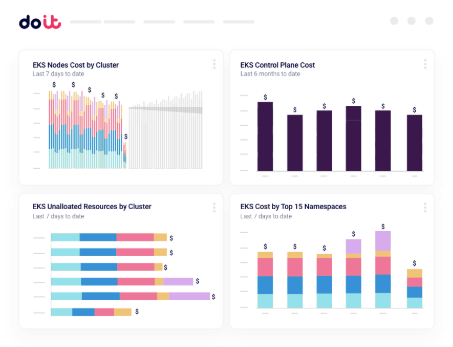
Succeeding in Google Cloud FinOps takes a strategy that combines financial management and technical operations.
1. Tag resources effectively
Comprehensive resource tagging enables granular analysis and automated optimization. Use hierarchical labeling aligned to org structure and application taxonomy. Common label categories include environment, team, application ID, and cost center.
Use Organization Policy where possible to block creation of untagged resources, noting enforcement varies by service. For services without strong enforcement, use Cloud Asset Inventory alerts for newly created untagged resources and conduct monthly audits to remediate.
2. Adopt commitments and discounts
Committed use discounts can deliver major savings for predictable workloads, but they require forecasting to avoid overcommitment penalties.
Analyze usage across resource types, regions, and time periods. Watch for risk indicators such as usage dropping below 80% of committed capacity for two consecutive months, upcoming project sunsets, or major architecture changes. Start with shorter-term commitments and extend duration as forecasting improves. Reassess commitments quarterly to adapt to demand changes.
Taking the first step with cloud savings requires balancing immediate cost reductions with operational flexibility.
3. Engage in regular cross-team reviews
Hold monthly reviews with engineering, finance, and business stakeholders. Focus on trend analysis, commitment utilization, and optimization actions that require cross-functional coordination.
Create standardized dashboards (for example, Looker or FinOps Hub) to translate technical metrics into business terms. Motivating preoccupied engineers is easier when optimization is framed as improving reliability and performance—not just cutting spend.
4. Automate idle resource cleanup
Use lifecycle automation to shut down non-production workloads during off-hours and delete resources that exceed retention policies. Tools like Cloud Scheduler and Cloud Functions can enforce policies such as deleting test VMs older than 30 days unless tagged for retention.
More advanced automation should account for dependencies (for example, backups before database shutdown) and apply different rules for dev/test versus production.
5. Benchmark against industry peers
Use FinOps Hub’s peer benchmark score to compare cost efficiency, discount utilization, and operational efficiency against peers. Avoid simplistic comparisons that ignore architecture and business requirements.
If your cost per workload is above median, validate whether it’s justified by higher performance or reliability requirements, then assign owners and targets to close true efficiency gaps. Establishing a cloud cost optimization culture depends on communicating that nuance.
Make a success of your FinOps initiative
Building sustainable Google Cloud FinOps requires more than a checklist. It takes a cultural shift where cost awareness becomes a normal part of engineering and business decisions, supported by governance that clarifies roles, responsibilities, and escalation paths.
Invest in specialized cost management tools that deliver intent-aware analysis beyond surface-level utilization. The most sophisticated organizations move past generic rightsizing to understand how architecture choices impact both cost and performance outcomes.
Ultimately, good FinOps doesn’t limit innovation—it supports it. When teams understand how technical choices map to business outcomes, optimization becomes a creative challenge that improves both efficiency and reliability.
Learn how you can uncover hidden saving opportunities and reduce your Google Cloud spend.
Google Cloud FinOps FAQ
How do I start FinOps on Google Cloud?
Start with cost allocation: define projects/accounts, enforce labels, and export billing to BigQuery. Then set budgets and anomaly alerts, and run a monthly cross-team review to prioritize optimization actions.
What are the most important Google Cloud FinOps levers?
The highest-impact levers are accurate cost allocation, commitment optimization (CUDs and sustained use), service-specific efficiency (BigQuery partitioning/query design, GKE requests/limits and autoscaling, Cloud Run concurrency/min instances), and automated cleanup of idle non-production resources.
What is “intent-aware” optimization?
Intent-aware optimization evaluates costs against workload goals (latency, reliability, batch windows, developer velocity) rather than judging efficiency purely by utilization percentages.
How often should we review commitments and discount coverage?
Review commitment utilization weekly and reassess commitment strategy at least quarterly, especially if you expect seasonality, major launches, or architecture changes that can shift baseline usage.