


In this post, we compare approaches for getting insights in your BigQuery footprint and present you a custom Python script for full flexibility.
Introduction
In the rapidly evolving world of data analytics, Google BigQuery stands out as a powerful, serverless data warehouse that enables super-fast SQL queries across vast datasets. Whether you’re a data scientist, data engineer, or analytics expert, navigating through BigQuery’s extensive capabilities can often feel like uncovering hidden treasures. As your organisation grows, your BigQuery footprint might grow with it, and one of the challenges that many users face is efficiently listing tables and datasets across different scopes.
This blog post aims to guide you through the various methods of listing tables and datasets in BigQuery, with the specific (final aim) to list these assets across your whole organisation and highlight the inherent limitations of each approach along the way.
As we delve into the different techniques, from basic GUI interactions to more advanced SQL queries and API calls, you’ll gain insights into their strengths and constraints. In the end, we will introduce a final solution that offers the greatest flexibility but will require more legwork — that is, if we didn’t already do the work for you!
We will run through the following options:
- Google Cloud Console web UI
- BigQuery CLI
- Dataplex (Data Catalog)
- INFORMATION_SCHEMA
- Custom script
And consider a few evaluation dimensions along the way:
- Scope of listing
- Level of detail included
- Flexibility
- Price
Google Cloud Console web UI
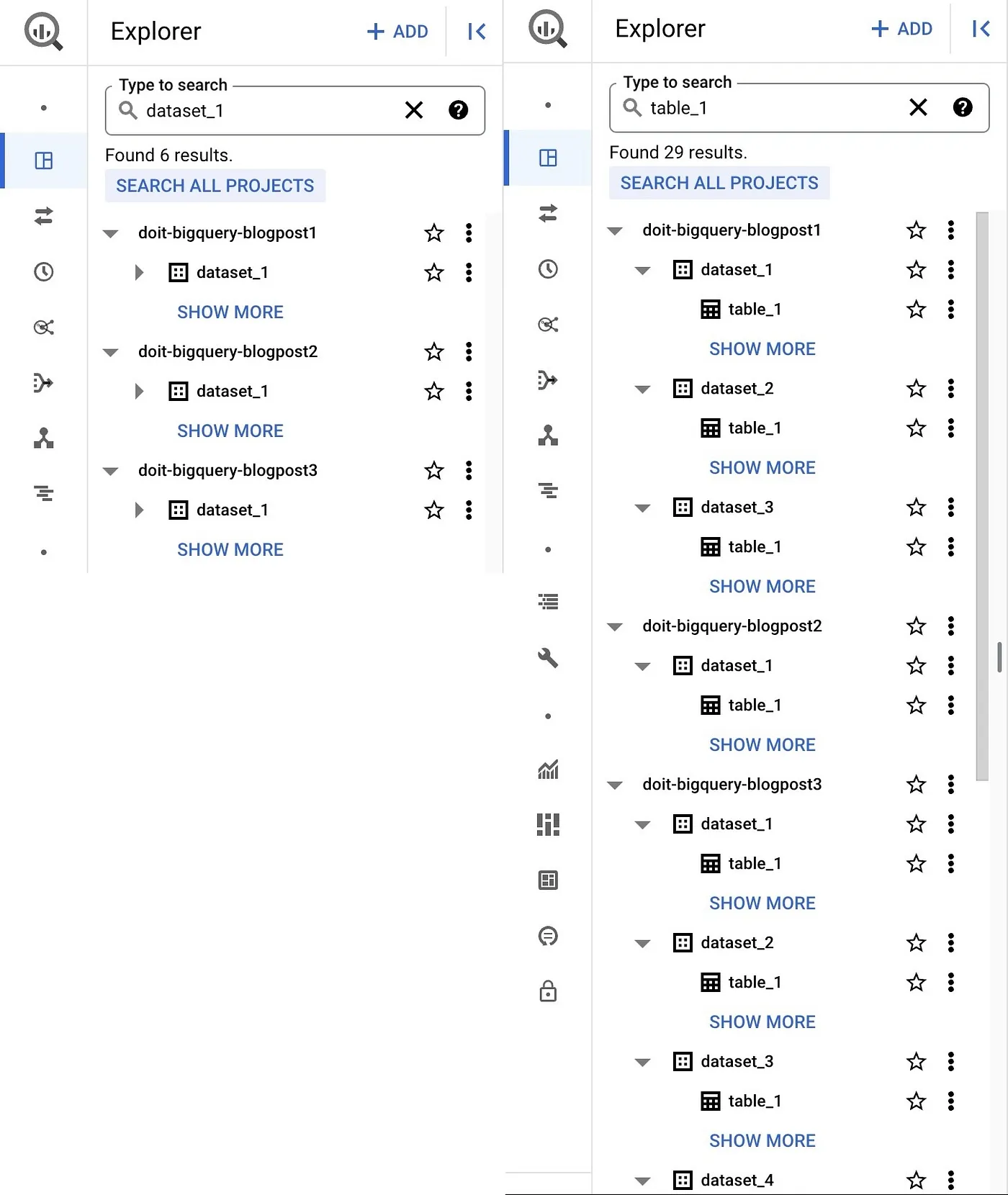
A good place to start is the familiar Google Cloud Console web UI. Navigating to BigQuery Studio under the BigQuery product page gives you datasets and tables in your current project (and other projects if you added them) laid out in the Explorer pane. It also gives you the ability to search for resources (dataset, table, or view) by name or label and returns results that span both projects as well as organisations you might have access to.
Pros:
- It’s easily accessible from BigQuery Studio.
- It can search over
projectsandorganisationsand thus has no limitations in scope. - This approach is free.
Cons:
- It doesn’t provide an exhaustive list of all the datasets or tables in your organisation or that you have access to.
- It doesn’t provide any other metadata about your tables.
BigQuery CLI
If you are not a huge fan of UIs and prefer to spend your time in the command line, you might be more tempted by the BigQuery CLI.
Given a PROJECT_ID, you can list all the datasets in that project by issuing:
bq ls --project_id $PROJECT_ID

Or, given both PROJECT_ID & DATASET_ID, you can list all the tables in that dataset by issuing:
bq ls --project_id $PROJECT_ID --dataset_id=$DATASET_ID

Pros:
- Easy to use CLI.
- Output can be used for lightweight downstream processing with e.g.
jq, especially when using the--format: <none|json|prettyjson|csv|sparse|pretty>flag. - Metadata operations are free.
Cons:
- The scope of your listing is limited: your scope is a project for the dataset level and a dataset for the table level.
- The details returned in the listing are again limited.
Dataplex (Data Catalog)
When thinking about finding all the relevant data in your organisation, obviously Data Catalog comes to mind! Data Catalog used to be a stand-alone product, but is a feature of Dataplex since mid-2022. Dataplex is Google Cloud’s intelligent data management platform that automates the organisation, security, and analysis of data across data lakes, warehouses, and databases, helping your organisation with discoverability, governance and compliance. Data Catalog acts as the central inventory of your organisation’s data assets.
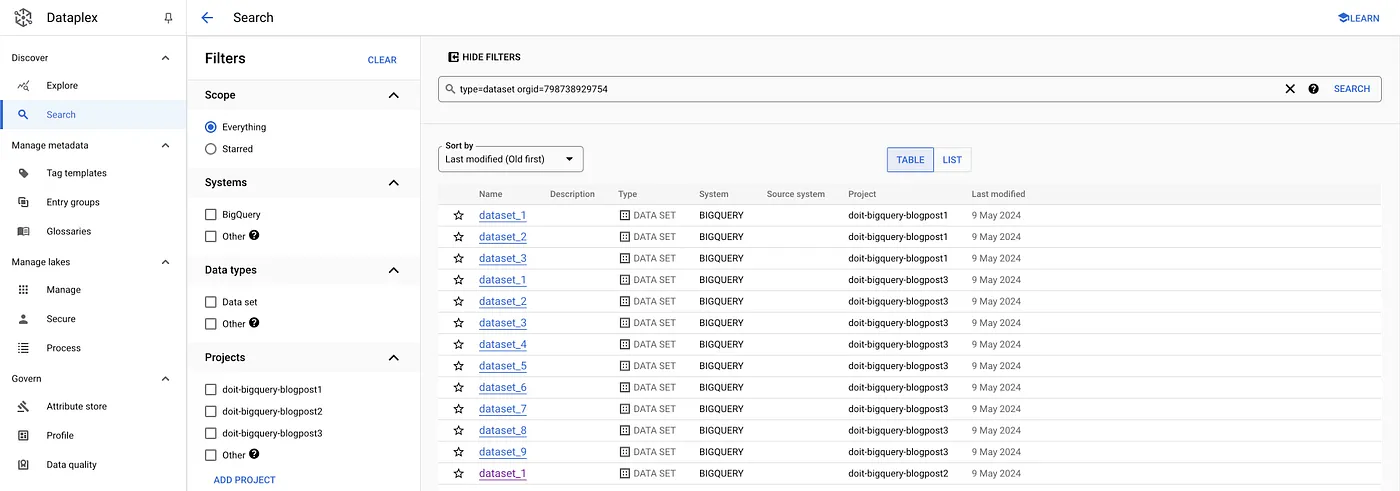
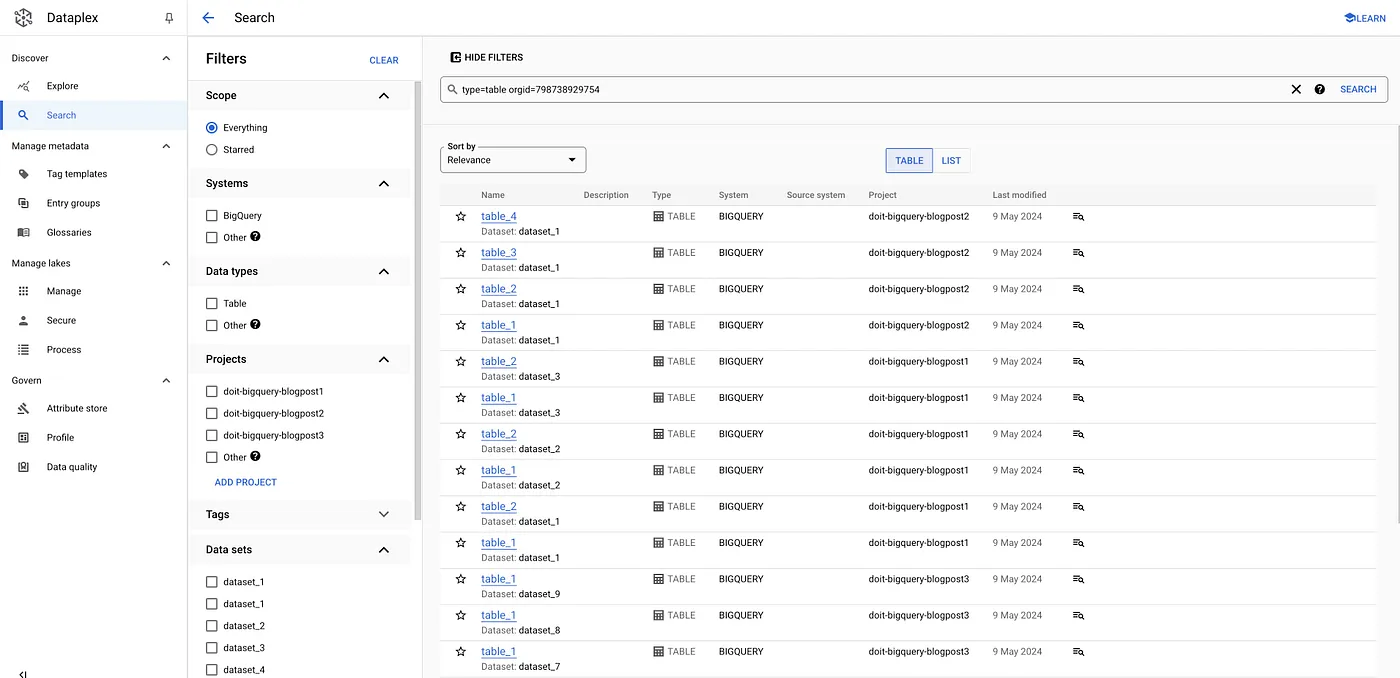
It allows you to search across organisations and systems, filter for data types, tags, etc. For our use case specifically, we are able to retrieve all the datasets & tables within a specific organisation simply by using the appropriate filter in the UI:
The nice thing is that, for the people who prefer CLI over UI, we can achieve the same thing using a gcloud command as follows:
For datasets:
gcloud data-catalog search "type=dataset" --include-organization-ids=YOUR_ORG_ID
For tables:
gcloud data-catalog search "type=table" --include-organization-ids=YOUR_ORG_ID
Pros:
- Searches across organisations AND goes beyond only searching BigQuery.
Cons:
- Data Catalog stores different types of metadata (business as well as technical metadata), but misses some details like table size or total bytes stored.
- Neither Dataplex nor Data Catalog is free, although the pricing should be manageable for most use cases. See the pricing page for more details.
INFORMATION_SCHEMA
The BigQuery aficionados among us will definitely be familiar with INFORMATION_SCHEMA. The BigQuery INFORMATION_SCHEMA views are read-only, system-defined views that provide metadata information about your BigQuery objects. There are a large amount of different views, check the documentation for a comprehensive overview.
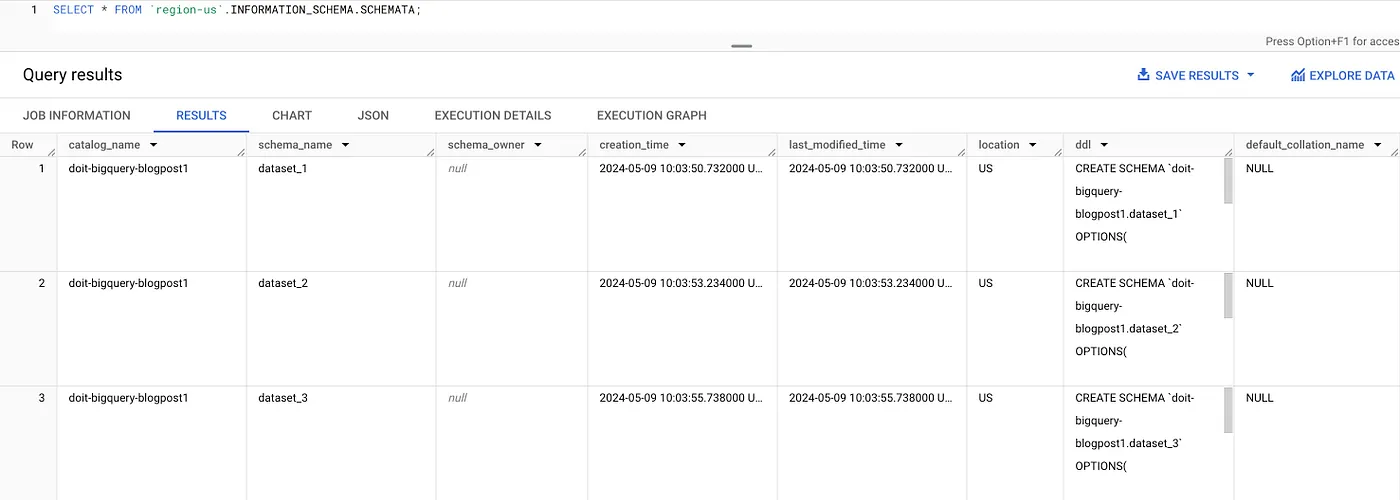
For our use case, we are particularly interested in the SCHEMATA view and the TABLES view:
We can use the SCHEMATA view to list all datasets within a region, e.g., for us-central1:
SELECT * FROM `region-us-central1`.INFORMATION_SCHEMA.SCHEMATA;
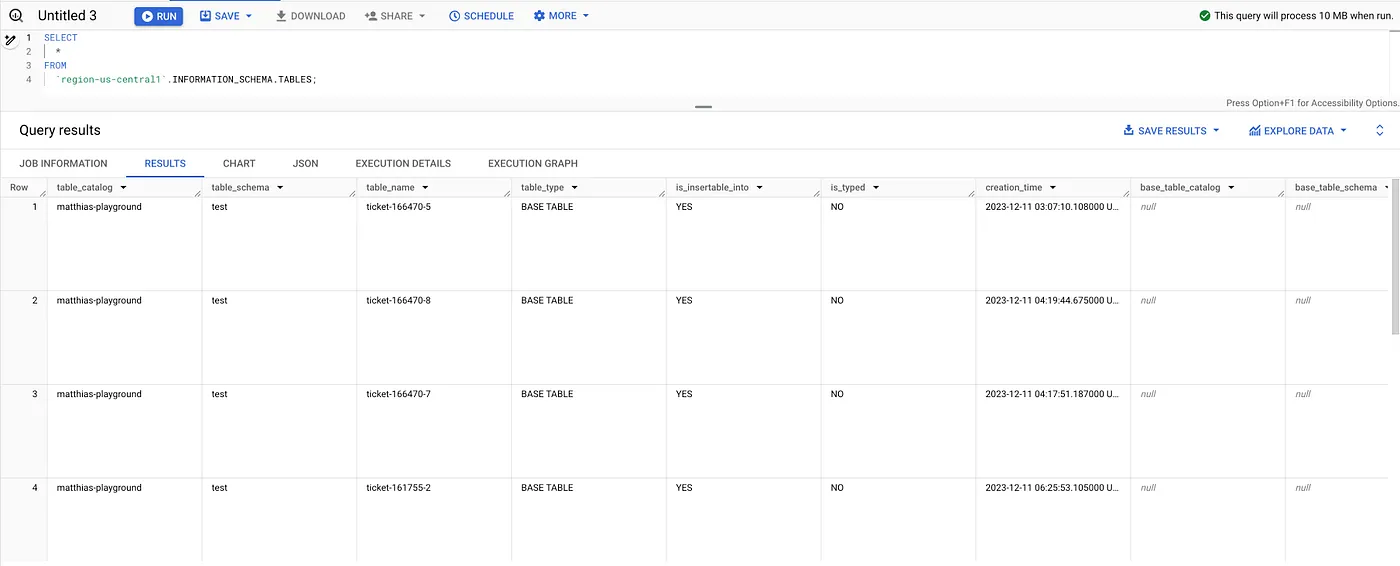
Or we can use the TABLES view to list all tables within a region: e.g., for us-central1:
SELECT * FROM `region-us-central1`.INFORMATION_SCHEMA.TABLES;
Pros:
- Easy, programmatic access using SQL right in BigQuery.
- Very detailed information; e.g.
TABLES view includescreation_time,ddl,TABLE_STORAGE view has information about thetotal_rows, as well as the size of the table (both physical and logical storage).
Cons:
- Information scoped to a region at best (even for the organisation level view). Given the list of regions is already quite long and might dynamically change, scripting around it might not be ideal.
- Not free, although pricing should be manageable for most use cases.
Achieving full freedom through custom scripting
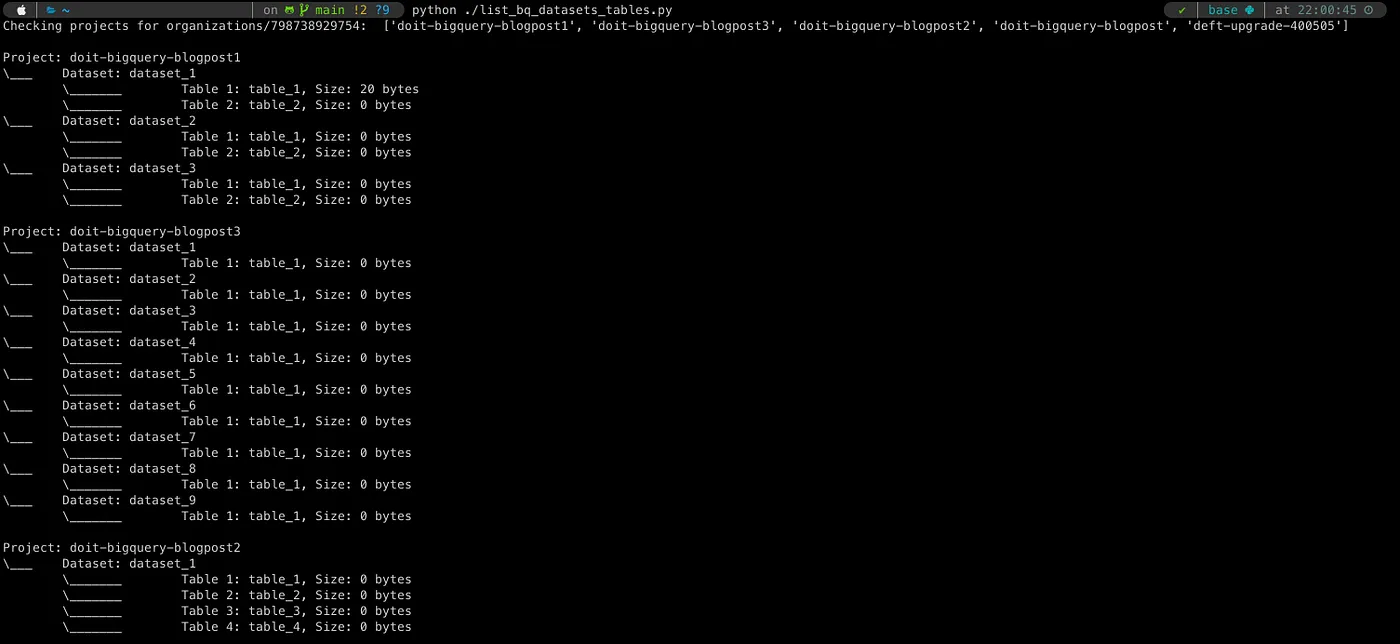
As they do, our technically savvy clients challenged us and came to us with the ask of having visibility within the whole organisation as well as retrieving significant detail about the tables across projects.
We ended up writing a little script that did just that, which you are able to find on our GitHub as well. It involves setting a few environment variables which will provision a service-account on the organisation level and then loop through all the projects and datasets in this organisation, retrieving the tables within these datasets as well as the relevant details (in this case: table size). While some basic Python knowledge and familiarity with the BigQuery API is needed, this approach gives us the most flexibility (we can retrieve other table features by checking the API docs), and data can be written in any format you would like for downstream consumption.
Pros:
- Maximum flexibility:
- Extract all the data you want from the API.
- Output results can be made in any way you want.
- Add filters or extend the script to your heart’s content. - Free, from DoiT to you.
Cons:
- Additional time and effort to write the script — but we did a lot of the legwork for you already!
Conclusion
Navigating BigQuery can be complex, with each method offering unique advantages tailored to different organisational needs. While standard tools provide simplicity and accessibility, custom scripting unlocks unparalleled flexibility and detail, albeit with some upfront effort.
Have you taken another approach in the past? Please share your preferred way, or extend the basic script to fit your needs!