
Cloud Intelligence™
Underutilised Reservations Are Silent Cost Leaks
This page is also available in Deutsch, Español, Français, Italiano, 日本語, and Português.


About Satyam Gupta
Senior Customer Success Manager II
Since starting my career in the IT industry, I’ve always been passionate about working closely with customers and helping them achieve their business and technical goals. My journey across roles, including DevOps Engineer, Cloud Consultant, Cloud Architect, Technical Account Manager, and now Customer Success Manager, has given me a broad perspective on cloud strategy, operations, architecture, and customer success. I enjoy bringing this experience together to help organisations optimise cloud adoption, improve efficiency, solve complex challenges, and build long-term success through practical and outcome-driven guidance. Let's talk and solve your problems
My personal pageWhat Are AWS Reservations?
When you commit to using AWS resources over a 1- or 3-year term in exchange for a significant discount (typically 30–72% off On-Demand pricing), you're purchasing an AWS Reservation. Unlike On-Demand pricing, where you pay only for what you use, reservations are a financial commitment. Whether or not your workload uses them, the cost accrues.
AWS offers reservations across a broad set of services:
- Amazon EC2 – Reserved Instances (RIs) for compute workloads
- Amazon RDS – Reserved DB Instances for relational databases (MySQL, PostgreSQL, SQL Server, Oracle, MariaDB, Aurora)
- Amazon ElastiCache – Reserved Cache Nodes for Redis and Memcached clusters
- Amazon OpenSearch Service – Reserved Instances for search and analytics domains
- Amazon Redshift – Reserved Nodes for data warehousing workloads
- Amazon DynamoDB – Reserved Capacity for read/write throughput units
- AWS Elemental MediaConvert – Reserved Transcode Slots for media processing
Each of these services follows the same principle: you pay upfront, partial upfront, or monthly for reserved capacity, and AWS applies the discounted rate when matching usage is found. If the usage isn't there, the reservation runs idle and you pay anyway.
The Problem: Underutilised Reservations Are Silent Cost Leaks
Reservations are purchased at a point in time based on what your workloads look like today. But cloud environments are dynamic. Teams scale down services, migrate workloads, retire applications, or simply change their architecture. When that happens, the reservation that once made perfect sense can quietly become a stranded cost.
Here's why this matters at scale:
You don't always know when it happens. While AWS does provide utilisation metrics in Cost Explorer, this only tells you what happened. It doesn't proactively trigger automated workflows or send contextual alerts to the right team for action.
The financial impact compounds quickly. A single underutilised r5.4xlarge RDS Reserved Instance at the us-east-1 No Upfront rate can cost over $5,000 per year. If it's sitting at 10% utilisation, you're effectively paying $4,500 for nothing. Multiply that across dozens of reservations across multiple AWS accounts and regions, and the waste can easily reach six figures.
Having worked with many customers across different industries, this is one of the most common FinOps failure patterns I've seen: teams discover underutilised reservations weeks or months after the fact, by which point the waste has already accumulated and the window to exchange or modify the reservation may have passed.
How DoiT CloudFlow Solves This
DoiT CloudFlow is a GenAI-powered, no-code FinOps and CloudOps automation platform built into the DoiT console. It lets you create workflows (called flows) that query AWS APIs, evaluate data with conditional logic, and take action: sending Slack notifications, email alerts, requesting approvals, or triggering further automation.
For reservation utilisation monitoring, CloudFlow gives you something AWS natively cannot: a scheduled, automated, multi-service check with integrated alerting, all without any custom development.
The "Identify Underused AWS Reserved Instances Across Services" Template
DoiT provides a ready-to-use CloudFlow template specifically designed for this use case: Identify underused AWS Reserved Instances across services.
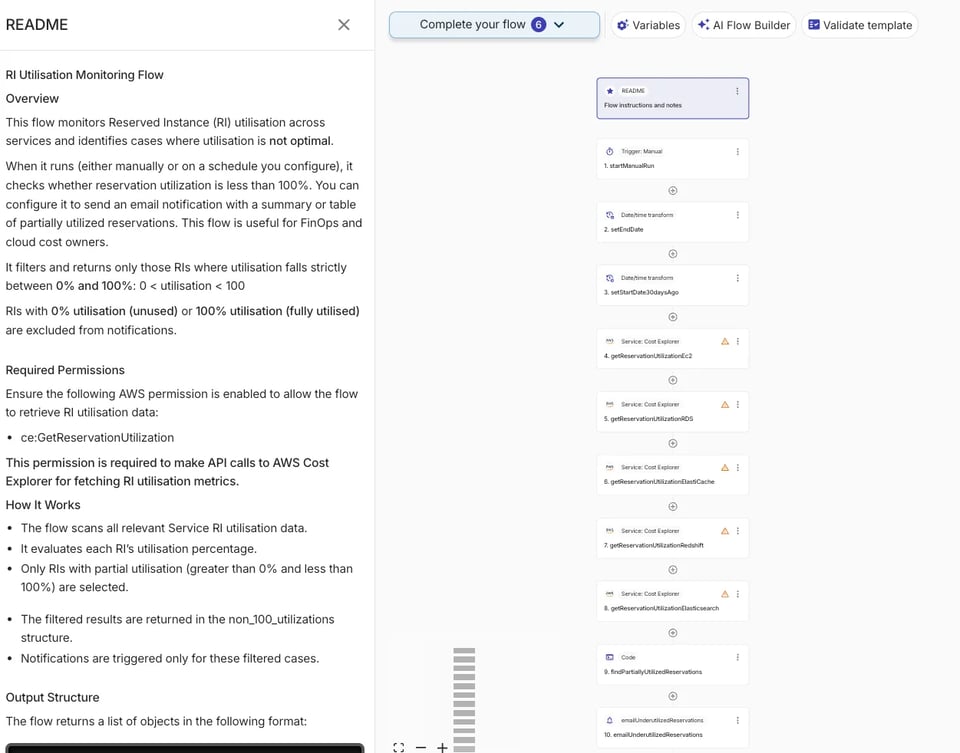
This template gives you a complete, pre-built workflow you can customise and publish in minutes. Here's how it works:
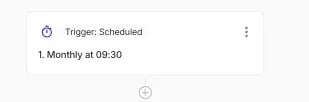
Step 1: Scheduled Trigger
The flow is triggered on a custom schedule, for example daily at 9 AM or weekly every Monday. You define the cadence that matches how frequently your team wants visibility into reservation health. No manual checking required.
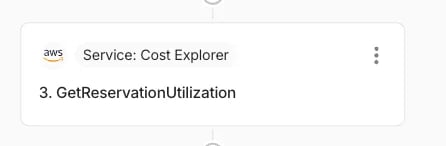
Step 2: Query AWS for Reserved Instance Utilisation
The flow calls the AWS Cost Explorer API, specifically the GetReservationUtilization API, across the AWS services you care about. This retrieves the actual utilisation rates for your EC2, RDS, ElastiCache, Redshift, OpenSearch, and other reservation types across all connected AWS accounts and regions.
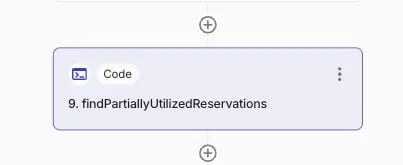
Step 3: Filter for Underutilised Reservations
A Filter node evaluates the utilisation data and isolates reservations below your defined threshold. The default best practice is to flag anything below 80% utilisation, as AWS itself considers this a healthy floor. You can adjust this threshold to match your organisation's standards.
Step 4: Healthy vs. At-Risk
- If all reservations are healthy (at or above your threshold), the flow can log the result silently.
- If underutilised reservations are found, the flow proceeds to the alerting path.
Step 5: Notify the Right People
The flow sends a notification containing a summary of the underutilised reservations, including service type, account, region, utilisation rate, and the dollar impact. You can route this notification to:
- A Slack channel (e.g.,
#finops-alertsor a team-specific channel) - Email to the responsible team or FinOps practitioner
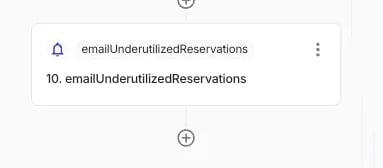
Once published, the flow runs on schedule and your team is automatically notified when reservations slip below your threshold, without anyone needing to remember to check.
Cloud bill shouldn't be a mystery
One platform for AI and Cloud optimization.
Beyond Alerting: Closing the Loop on Reservation Waste
Notifications are the first step. CloudFlow also enables you to go further:
- Approval workflows: Before any modification action is taken (e.g., exchanging or cancelling a reservation), require approval from a stakeholder via Slack or email, ensuring human oversight for high-impact decisions.
- LLM-powered summaries: Use the LLM node to generate a plain-language summary of the underutilised reservations, making the notification immediately understandable to non-technical stakeholders.
- Historical tracking: CloudFlow's execution history gives you a log of every run, the data that was evaluated, and what notifications were sent — supporting compliance and continuous improvement.
Summary
AWS reservations are one of the most powerful cost optimisation tools available, but only when they're actually being used. Underutilisation is a silent and surprisingly common drain that traditional monitoring tools don't adequately address.
With DoiT CloudFlow and the "Identify underused AWS Reserved Instances across services" template, you can:
- Automatically check utilisation across EC2, RDS, ElastiCache, Redshift, OpenSearch, and more
- Define your own utilisation threshold policy
- Receive timely, contextual alerts via Slack or email
- Keep your team accountable with tracked issues and approval workflows
- Do all of this with no code, in minutes
Stop discovering reservation waste after the fact. Set up your CloudFlow today and make reservation monitoring a proactive, automated part of your FinOps practice.
Ready to get started? Log in to the DoiT console, navigate to CloudFlow, and open the Reserved Instance monitoring template. If you have questions, our team is here to help.


