

At DoiT International, we are using Google BigQuery quite extensively as a data analytics platform for reOptimize — our free cost optimization platform for Google Cloud Platform.
Google BigQuery is a fantastic serverless tool for querying large sets of data using standard SQL syntax. The pricing model is based on how much data is scanned during a query, and you can run up to 50 simultaneous queries (cached queries are not counted).
If you have multiple teams in your organization, then you need a way to know what’s currently running. There isn’t a way out of the box to see the current queries, here comes bqtop to the rescue.
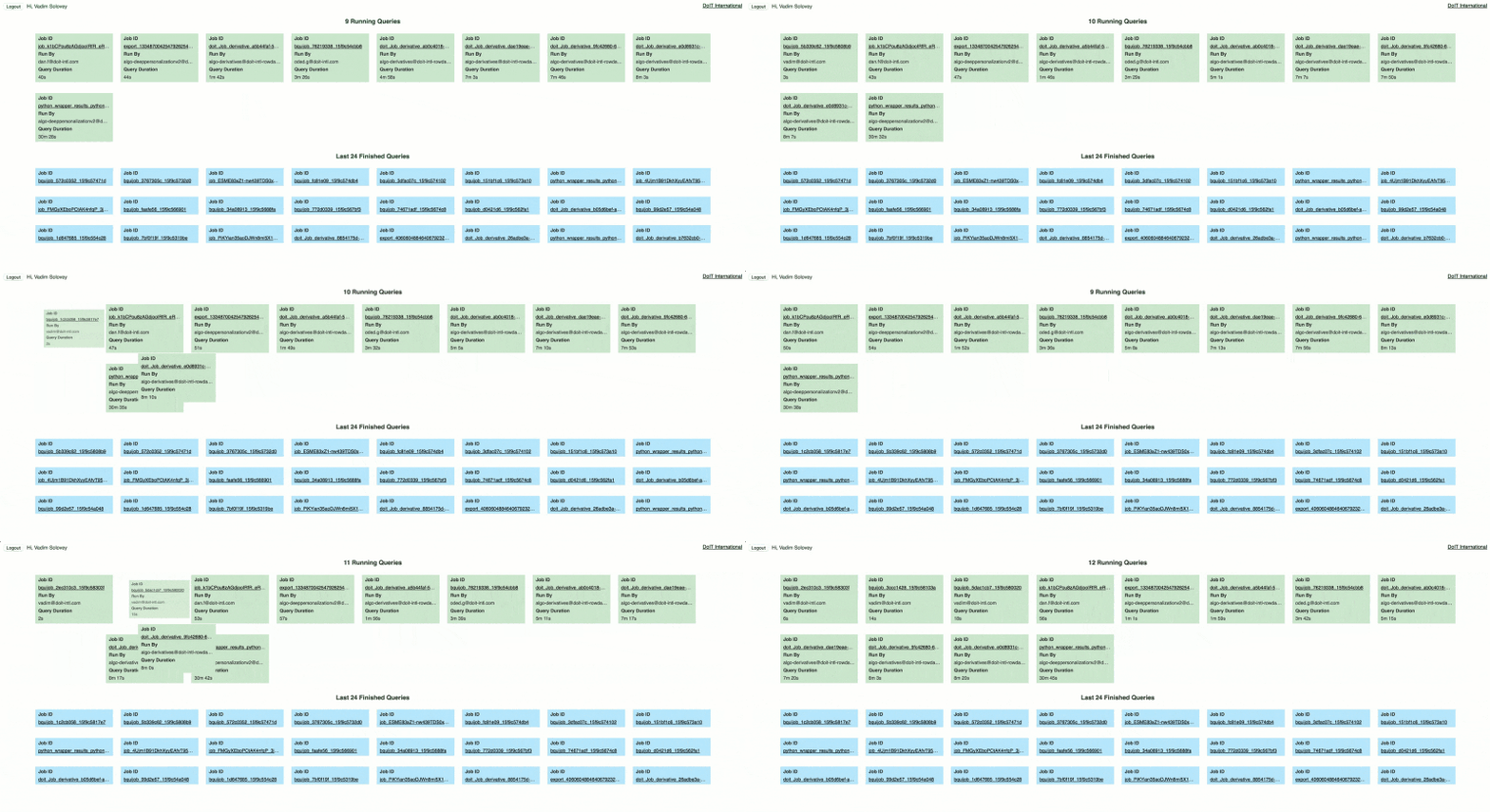
We wanted to build a simple command-line utility as well as web application to let us view the currently running queries as well as some of the history. To get the needed information we have build a completely serverless pipeline which makes the information available to our application.
Let’s start with the “server” side
First, we need to create a couple of Stackdriver Logs Sinks to export the BigQuery logs to Google Pub/Sub. We are going to create two sinks, first one filtering the log messages indicating start of a query:
resource.type=bigquery_resource protoPayload.methodName=jobservice.insert
and the second sink one for the completed queries:
resource.type=bigquery_resource protoPayload.methodName=jobservice.jobcompleted
Each sink writes its data to a different Pub/Sub topic — bqtop-running-jobs and bqtop-finished-jobs.
Now that we have the data flowing from the logs to the Pub/Sub, we need to write it to a database that can be read later from the web app or cli. For this use-case, we wanted something simple yet powerful providing us with ability to read directly from the client thus avoiding building fully-fledged backend as well as notifications on new/updated data, so we will not need to query the database periodically for fetching updates. Google’s Firebase seemed like a natural choice for us.
In order to get the data from Pub/Sub into Firebase database, we are using Firebase Cloud Functions. We are listing for new events on the Pub/Sub topics and then inserting them into the database
https://gist.github.com/avivl/30d92a579abd48dd4b3a9131b7f6abfb
The data is stored under two different database “tables”, one for running jobs and the other for finished tasks. Once a job is finished we need to delete it from the running jobs table. Finally, we have created a couple of additional functions that are listening for changes in the data.
https://gist.github.com/avivl/58dbe67e6ade2b45f89e5a5d698c3dd3
Once we get an event that we have a new data in the finished jobs reference we will look for and event with the same jobId in the running jobs references and delete it.
https://gist.github.com/avivl/c16af302a09a338f41480a11689a10d9
For better performance, we created an index (this is done in the database.rules.json file)
https://gist.github.com/avivl/7ab33806e5d8da4caf62b9a57778433a
And now it’s time for the “client”
Now that we are done with the “server” side let’s move on the the client. We wanted to have both a command-line tool to be used by engineers as well as a web-app to put on our dashboard TV in the office.
The command-line app is a small python application which uses curses for all the UI manipulation. We are using pyrebase as a wrapper for the Firebase API. As you can recall from what we wrote above, we don’t want to pull the database for changes constantly, but we prefer to get a notification when something has changed. By using two database streams that will be called up any change.
https://gist.github.com/avivl/8ea27a7f98feb1d8735151ae3ba97bff
Once the handler function is called we can retrieve the data and display it to the user.
For the web-app, we are using React framework and Firebase Javascript SDK to read the data from the database and visualize it on the web page.
To summarize, we have created a cool pipeline for sending BigQuery logs to Google Pub/Sub, processing them using Cloud Functions and finally storing the in Firebase Realtime Database without any need to deploy servers and with a very minimal coding effort.