
Cloud Intelligence™
Privately access services in overlapping networks in Google Cloud
This page is also available in Deutsch, Español, Français, Italiano, 日本語, and Português.


About Chimbu Chinnadurai
Senior Cloud Architect II
I've probably debugged a Kubernetes issue in more time zones than I care to count. Based in London, I help engineering teams across EMEA get their clusters to behave — and actually understand why they misbehaved in the first place.
I write, speak, and guest on podcasts about all things cloud-native. Away from the terminal: I enjoy cooking almost as much as simplifying overly complex systems.
My personal page
In Google Cloud Platform (GCP), each new project starts with a default VPC network when you enable the Compute Engine API Unless you disable it.
This makes your use of GCP easier since creating a custom VPC and subnets are not required. But the problem with the default network is that all the auto-created subnets use a set of predefined IPv4 ranges that fit within the 10.128.0.0/9 CIDR block.
Private internal communication is not allowed between projects because of the overlapping network. The limitation applies to both VPC Peering and Cloud VPN services.
This blog shows you how to use Private Service Connect to privately access services running in VM/GKE clusters with overlapping networks. This applies to overlapping networks in the same or different GCP organizations.
Reference Architecture
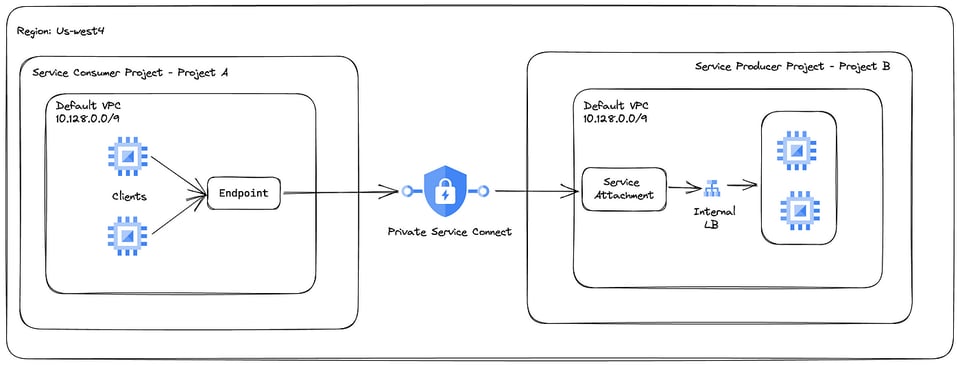
Target Private Service Connect Setup
Project B is the service producer project and a sample nginx service deployed in a managed instance group instance.
Project A is the service consumer Project, and it needs to access the service in Project B privately. The instances in both projects are not assigned with any external IP.
- GCP Region for resources is us-west4
- compute.googleapis.com API is enabled in Project A and Project B
- Cloud NAT for private instance internet access to download packages
Deploy sample service and test instance
Update the variables in the commands below.
- Create an instance template in Project B.
gcloud compute instance-templates create nginx-service-instance-template \--machine-type=e2-medium \--network-interface=network=default,no-address \--metadata=startup-script=\ \#\!\ /bin/bash$'\n'yum\ install\ epel-release$'\n'yum\ -y\ install\ nginx$'\n'systemctl\ start\ nginx \--maintenance-policy=MIGRATE \--provisioning-model=STANDARD \--scopes=https://www.googleapis.com/auth/cloud-platform \--create-disk=auto-delete=yes,boot=yes,device-name=nginx-service-instance-template,image=projects/centos-cloud/global/images/centos-7-v20230411,mode=rw,size=20,type=pd-balanced \--no-shielded-secure-boot \--shielded-vtpm \--shielded-integrity-monitoring \--reservation-affinity=any \--project=$PROJECT_B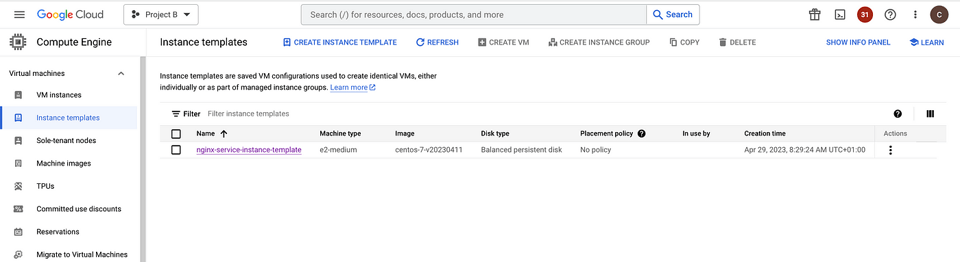
- Create a managed instance group in Project B.
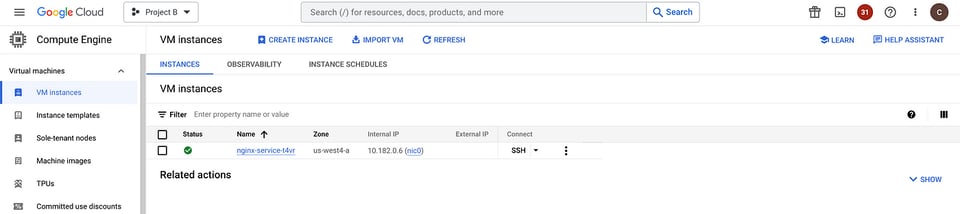
gcloud beta compute instance-groups managed create nginx-service-instance-group \--base-instance-name=nginx-service \--size=1 \--template=nginx-service-instance-template \--zone=us-west4-a \--list-managed-instances-results=PAGELESS \--no-force-update-on-repair \--project=$PROJECT_BAfter the successful creation, the managed instance group launches an instance in the target zone.
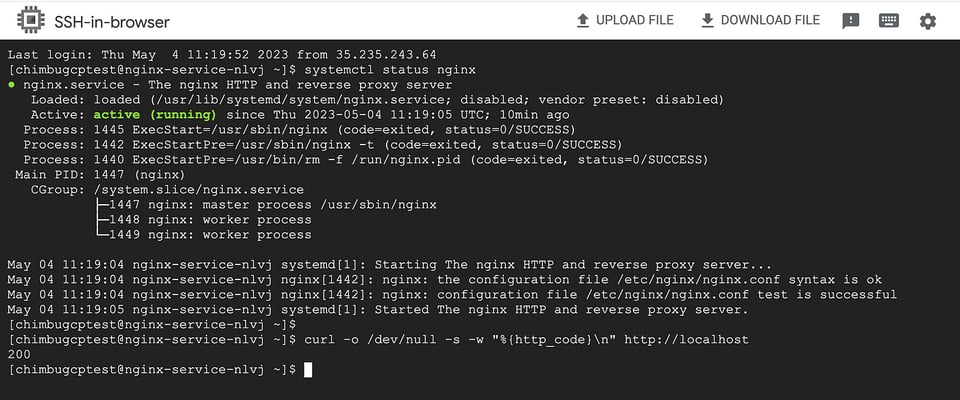
SSH into the instance and validate the nginx service status.

- Create a connectivity test instance in Project A.
gcloud compute instances create instance-1 \ --zone=us-west4-b \ --machine-type=e2-medium \ --network-interface=stack-type=IPV4_ONLY,subnet=default,no-address \ --maintenance-policy=MIGRATE \ --provisioning-model=STANDARD \ --scopes=https://www.googleapis.com/auth/cloud-platform \ --create-disk=auto-delete=yes,boot=yes,device-name=instance-2,image=projects/centos-cloud/global/images/centos-7-v20230411,mode=rw,size=20,type=projects/project-a-385206/zones/us-west4-b/diskTypes/pd-balanced \ --no-shielded-secure-boot \ --shielded-vtpm \ --shielded-integrity-monitoring \ --labels=ec-src=vm_add-gcloud \ --reservation-affinity=any \ --project=$PROJECT_A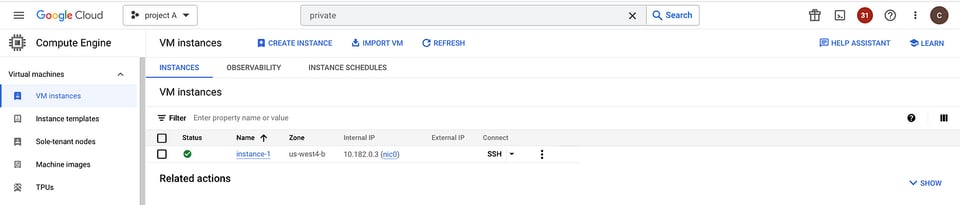
Project A and Project B networks have no internal connectivity. So the instance in Project A cannot access the service running in Project B.
VPC peering is not allowed because of the overlapping range in the default network.
Setup Internal load balancer
An internal load balancer is required for Private Service Connect to expose the service via service attachment. We will create an internal TCP load balancer for this setup in Project B.
- Create a new regional HTTP health check to test HTTP connectivity to the VMs on port 80.
gcloud compute health-checks create http nginx-service-health-check \ --region=us-west4 \ --port=80 \ --project=$PROJECT_B- Create the backend service for HTTP traffic.
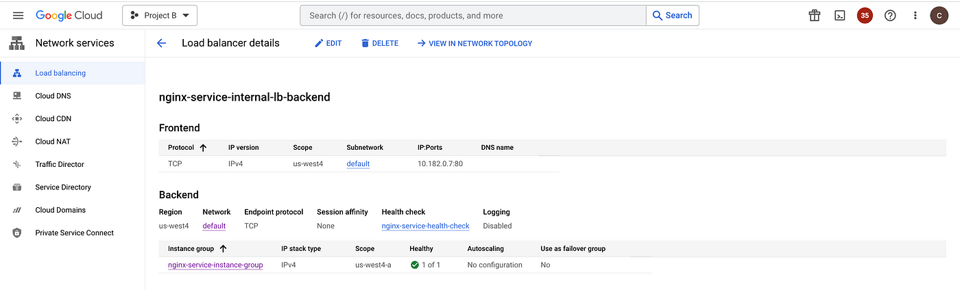
gcloud compute backend-services create nginx-service-internal-lb-backend \ --load-balancing-scheme=internal \ --protocol=tcp \ --region=us-west4 \ --health-checks=nginx-service-health-check \ --health-checks-region=us-west4 \ --project=$PROJECT_B- Add the nginx service instance group to the backend service.
gcloud compute backend-services add-backend nginx-service-internal-lb-backend \ --region=us-west4 \ --instance-group=nginx-service-instance-group \ --instance-group-zone=us-west4-a \ --project=$PROJECT_B- Create a forwarding rule for the backend service.
gcloud compute forwarding-rules create nginx-service-internal-fr \ --region=us-west4 \ --load-balancing-scheme=internal \ --network=default \ --subnet=default \ --ip-protocol=TCP \ --ports=80 \ --backend-service=nginx-service-internal-lb-backend \ --backend-service-region=us-west4 \ --project=$PROJECT_B- Set up a firewall rule to allow load balancer health checks.
gcloud compute firewall-rules create allow-internal-lb-health-check \--direction=INGRESS \--priority=1000 \--network=default \--action=ALLOW \--rules=tcp:80 \--source-ranges=35.191.0.0/16,130.211.0.0/22--project=$PROJECT_B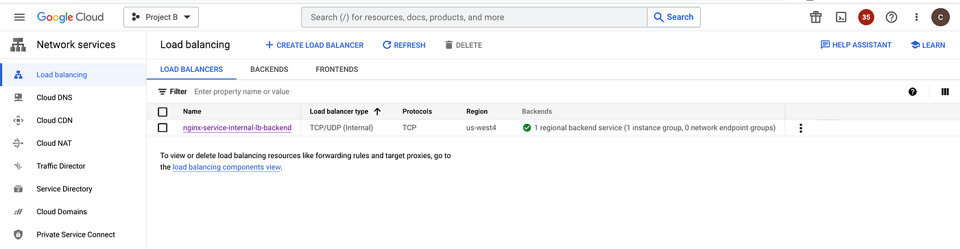
Cloud bill shouldn't be a mystery
One platform for AI and Cloud optimization.
Publish services in service producer project
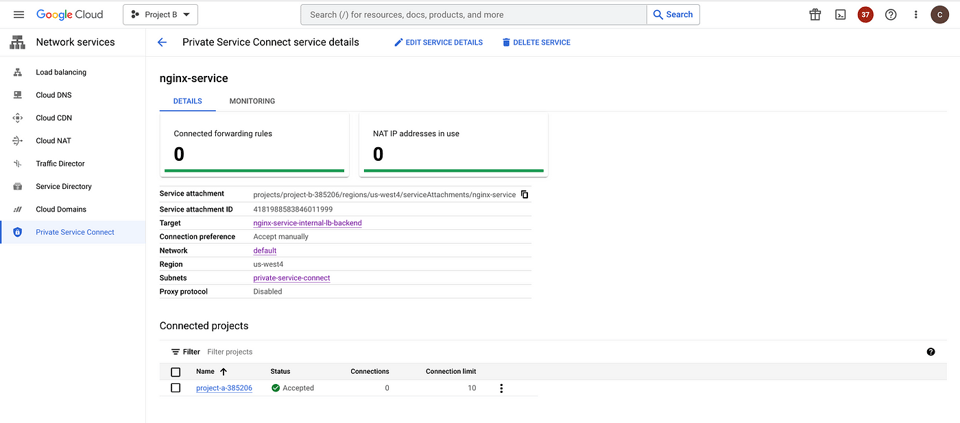
Publish the service in Project B, which is the service producer project to allow the consumers in other VPC networks to connect privately and securely access the service.
- Reserve a subnet for Private Service Connect. This subnet range should not overlap with the default network.
gcloud compute networks subnets create private-service-connect \--network default \--region us-west4 \--range 10.0.1.0/24 \--purpose=PRIVATE_SERVICE_CONNECT \--project=$PROJECT_B- Publish the nginx service to project A with explicit project approval.
gcloud compute service-attachments create nginx-service \ --region=us-west4 \ --producer-forwarding-rule=nginx-service-internal-fr \ --connection-preference=ACCEPT_MANUAL \ --nat-subnets=private-service-connect \ --consumer-accept-list=$PROJECT_A=10 \ --project=$PROJECT_BYou can control the list of consumers who can access the published services either via automatic approval or manual approval, Refer to Publish services by using Private Service Connect.
- Set up a firewall rule to allow Private Service Connect to access the target instances.
gcloud compute firewall-rules create allow-private-service-connect \--direction=INGRESS \--priority=1000 \--network=default \--action=ALLOW \--rules=tcp:80 \--source-ranges=10.0.1.0/24--project=$PROJECT_B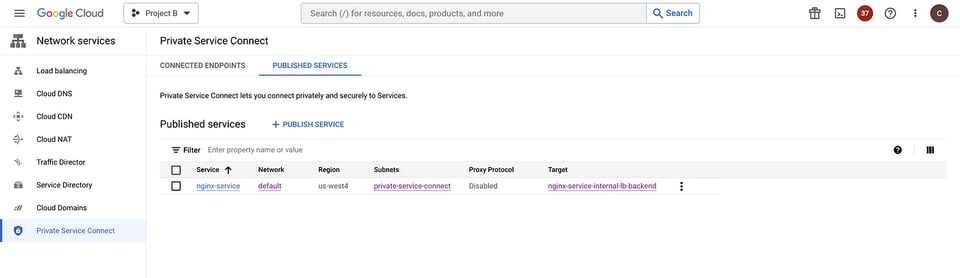
Configure Endpoint in service consumer project
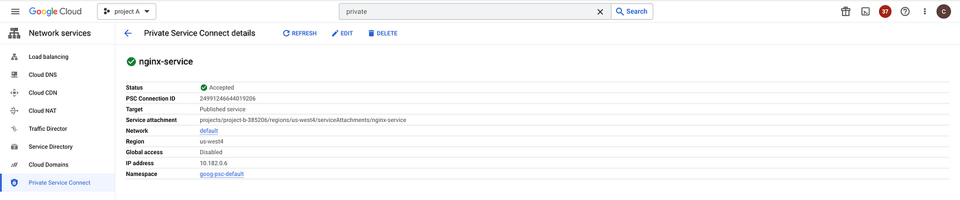
An endpoint in the service consumer project connects to services in the producer VPC network using a Private Service Connect forwarding rule.
When you create an endpoint, it is automatically registered with Service Directory, using a namespace that you choose or the default namespace, goog-psc-default.
To make the Endpoint available from more than one region, turn on global access. Global access is in Preview.
- Reserve an internal IP address to assign to the Endpoint.
gcloud compute addresses create private-service-connect-endpoint \ --region=us-west4 \ --subnet=default \ --project=$PROJECT_A- Create a forwarding rule to connect the Endpoint to the Project B service attachment.
PSC_SERVICE_ATTACHMENT=$(gcloud compute service-attachments describe nginx-service \   --region=us-west4 \   --project=$PROJECT_B \   --format="value(selfLink.scope(projects))")
gcloud compute forwarding-rules create nginx-service \  --region=us-west4 \  --network=default \  --address=private-service-connect-endpoint \  --target-service-attachment="projects/$PSC_SERVICE_ATTACHMENT" \  --project=$PROJECT_A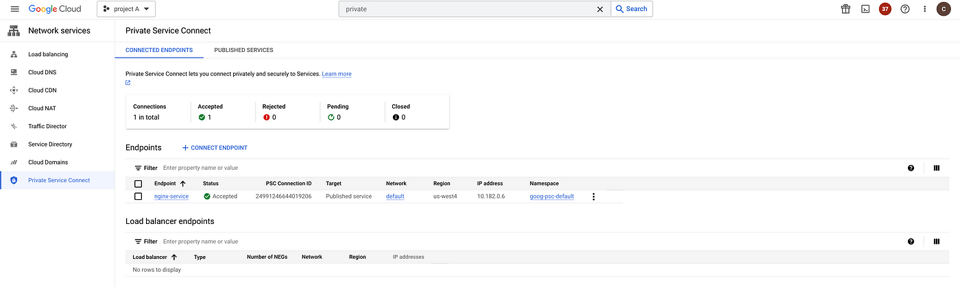
Test the connectivity from Consumer Project
Private Service Connect components are now configured in Project A and Project B. Use the endpoint IP in Project A to access the nginx service in Project B.
The test confirms the instances in the overlapping can communicate privately via the Private Service Connect Endpoint.
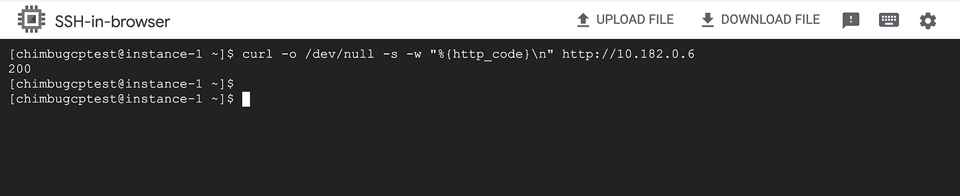
This example illustrates how you can use Private Service Connect to securely publish and consume services in overlapping networks.
Traffic remains entirely within Google Cloud, providing service-oriented access between consumers and producers with granular control over how services are accessed.
Read more about Private Service Connect on the product page.


